WEMAIDE / INSIGHTS / GUIDES
How to integrate AI into existing software: scope one useful feature
Plan an AI feature for your existing software: define the task, connect approved data, validate outputs and test the complete workflow before release.
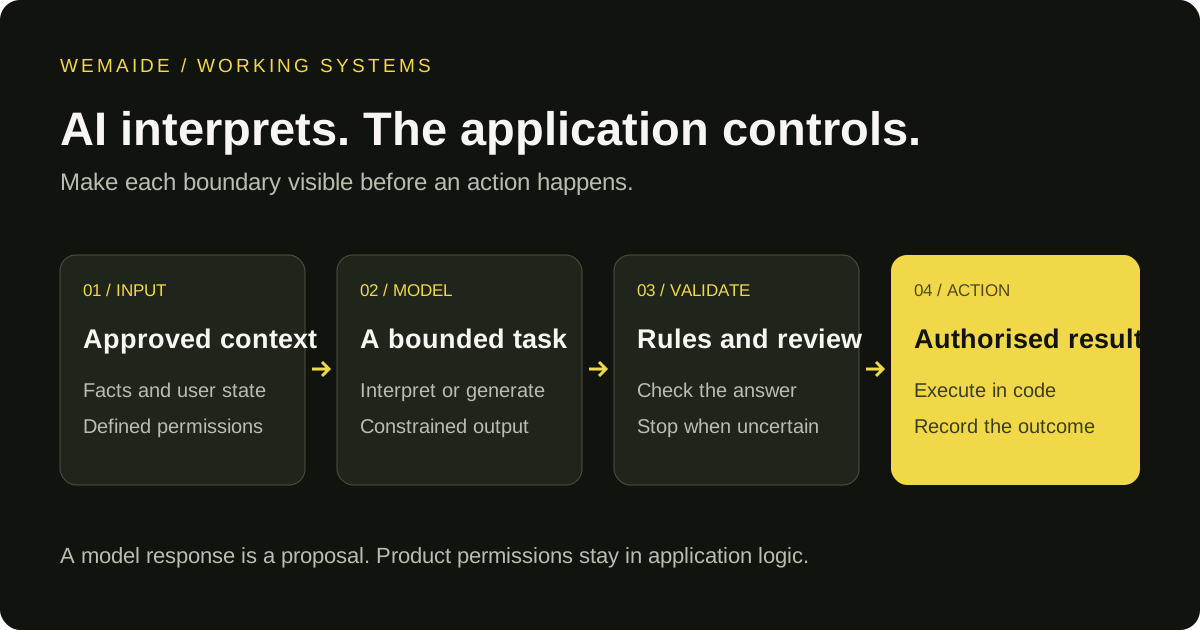
Adding AI to existing software starts with a change to a user’s task. A person should be able to do something useful with the result: review a draft, inspect extracted information or understand a record. The model connection is one dependency in that journey.
A practical first release preserves the application’s existing identity, permissions and record ownership. It adds a defined model task, the context needed for that task and a visible way to accept, correct or reject the result.
Write the integration brief before selecting a model
Describe one request using six fields:
| Field | What to specify |
|---|---|
| Starting point | The existing screen, saved record or event that starts the task |
| Allowed input | The fields and approved documents the feature may read |
| Proposed output | The exact draft, classification or extracted fields the user receives |
| Record changes | What can be saved automatically and what requires confirmation |
| Failure behaviour | What the user sees when evidence is missing or generation fails |
| Acceptance evidence | Example inputs and the checks a reviewer uses to judge the result |
“Add an AI assistant” leaves most of that undecided. A narrower brief might be: “Turn a selected, approved source into a draft for review, without publishing it or changing the source.” This describes a proposed feature boundary, not a claim that any existing application already supports it.
Inspect what the current product actually exposes
An integration estimate depends on access to the current system. Check whether it has a supported API, how users sign in, who owns each record and whether there is a test environment. Confirm how the application represents revisions and long-running jobs.
If the only available integration is an undocumented browser interaction, record that limitation before promising delivery. An API that reads a record does not necessarily permit writing it, and a user’s ability to view a screen does not grant every backend permission.
The first deliverable can be a connection assessment and a tested read-only path. That gives the next implementation stage a concrete starting point.
Define the record-change contract
For a draft-generation feature, we would define a small operation contract along these lines:
- Input: authenticated user, source record ID and source revision.
- Context: the approved source fields and the relevant brand instructions.
- Output: draft text, source references and a status the application understands.
- Save rule: create a draft revision; keep the original source unchanged.
- Approval rule: approval applies to a particular draft revision and intended action.
- Conflict rule: if the source or destination changes, show the conflict before execution.
These are design recommendations. The final contract follows the application’s own data model. It should be clear enough for someone to test without reading the prompt.
Connect generation to the existing user journey
Decide whether the task can finish during a normal request or needs a background job. A longer task needs a visible state such as queued, processing, ready for review or failed. A retry button should explain whether it repeats generation, attempts delivery again or asks an operator to resolve an uncertain result.
Keep provider-specific request handling behind the application boundary. Validate returned fields and their meaning before changing product state. A structurally valid answer may still cite an unavailable source or propose an action the user cannot perform.
Function calling does not remove this responsibility. The Gemini function-calling documentation shows how a model returns a function request and arguments for application-side handling. Permissions and the execution policy still need to be implemented around that mechanism.
Use product examples for the decisions they actually demonstrate
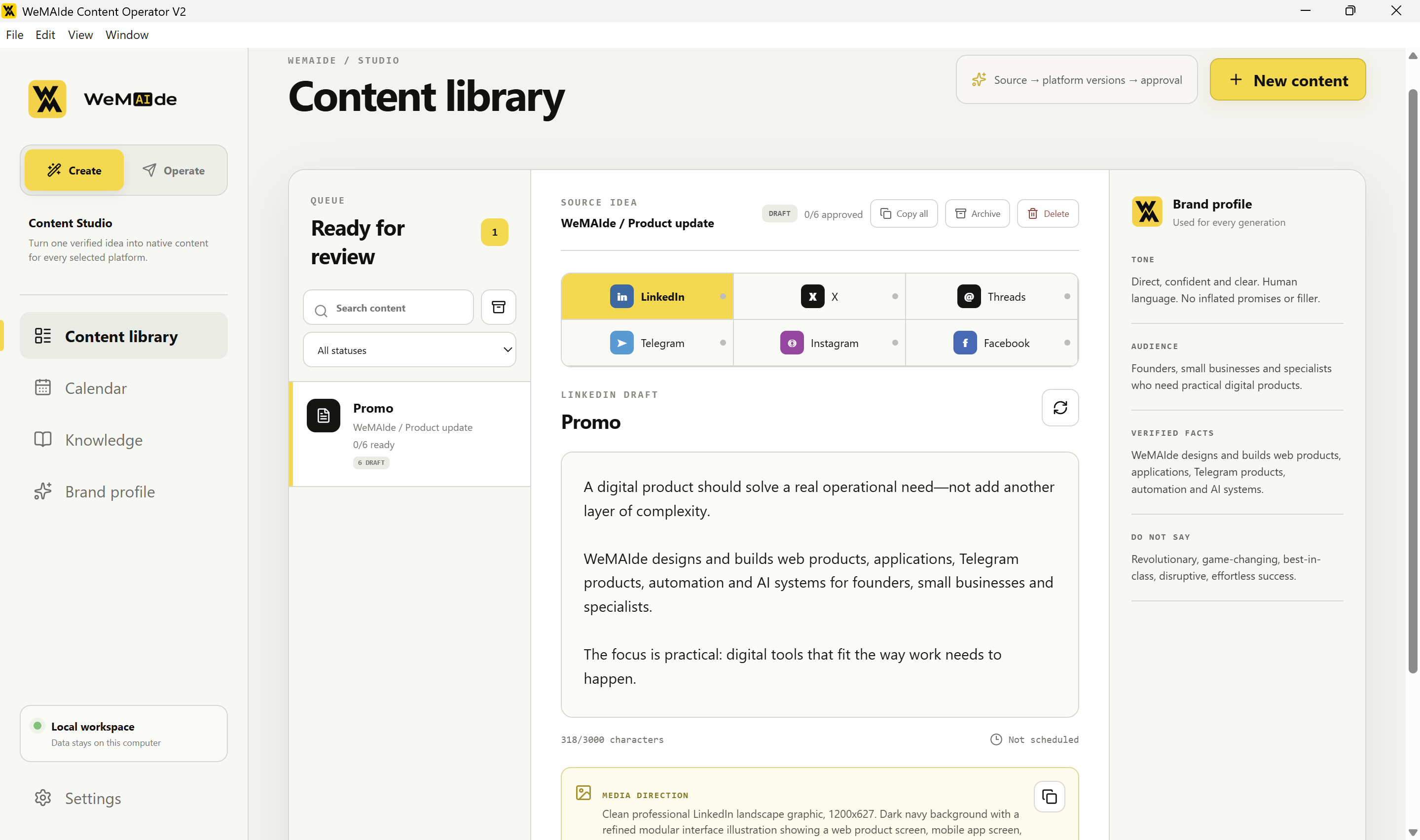
Content Operator brings source knowledge, a Brand Profile, platform-specific drafts and review states into a Windows workspace. It is an available beta. Its useful lesson here is keeping facts and approval beside generated work; it is not evidence that every third-party CRM or publishing system is already connected.
Leela demonstrates a different boundary: deterministic game rules govern progression while AI contributes contextual interpretation. The transferable decision is to identify which part of a product needs interpretation and which part must retain exact rules.
Test a complete task before expanding the feature
Prepare cases that include a normal source, missing facts, contradictory input, a changed source revision and a provider failure. Check that one user cannot retrieve another user’s records. Repeat a request and verify how the product handles the second attempt.
Judge usefulness as well as technical success. Can the reviewer see enough context to correct the draft? Can they return to the source? Is a failed attempt recoverable without repeating an external action?
Record the provider, configuration and source revision used for each evaluation. Expansion should follow evidence about this particular workflow.
What to bring to an integration discussion
Share a description of the current application, the one task to improve, synthetic or redacted examples, available integration documentation and who will review the result. Use the project’s secure access process for any implementation credentials.
WeMAIde can assess the connection and scope a complete first feature through its AI software development and integration service. For a process that mainly connects recurring events and actions across tools, see AI automation development.
Worked scope: AI customer support with a human handoff
Consider a proposed support feature that drafts answers from an approved knowledge base and retrieves only the signed-in customer's permitted records. Start with a bounded set of questions. Keep unsupported questions, explicit requests for a person and actions requiring another authority on a defined handoff path. This is an illustrative integration scope, not a delivered WeMAIde helpdesk case.
| Boundary | Design decision | Acceptance check |
|---|---|---|
| Knowledge | Which approved sources may support the answer? | An absent answer is escalated rather than invented |
| Customer data | Which records may the authenticated person access? | Another customer's request cannot be retrieved |
| Action | Which operations require a person or scoped permission? | A generated answer cannot silently authorise a refund or account change |
| Handoff | Who owns the conversation, and does the bot stop responding? | The person receives context and the customer sees an honest waiting state |
| Return to automation | What event restores the bot's role? | The bot does not resume while a person still owns the issue |
Existing helpdesk products may already support the required handoff. Compare that capability with the actual integration need before commissioning a replacement. Zendesk documents changes of responder ownership; HubSpot documents configurable live and asynchronous handoff. Those are product-specific behaviours, not guarantees shared by every chatbot.