
WEMAIDE / INSIGHTS / BUILD NOTES
Building Content Operator: knowledge, draft states and the publishing boundary
An engineering account of Content Operator v2: local knowledge, platform drafts, edit and review states, explicit publishing and the limits of the current beta.
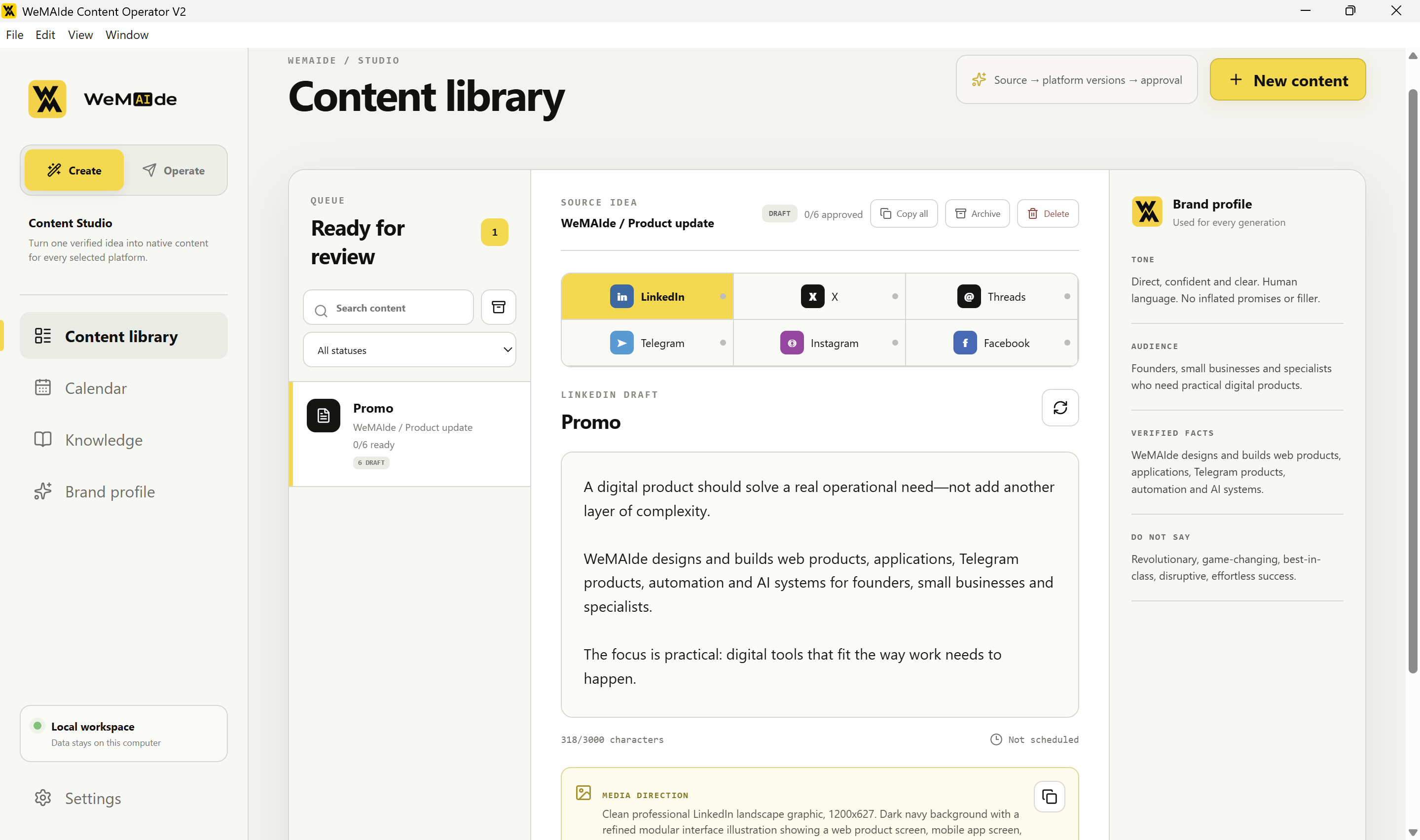
Content Operator started with an operating problem: one piece of source material can become several social posts, but the facts, draft revisions and decision to publish need to remain understandable. A text-generation request solves only one step. We built a Windows workspace around the source idea, brand knowledge, platform drafts and explicit operator actions.
This is an account of our own Content Operator v2 beta. The product screens below are existing public screenshots; the implementation details were checked against the active v2 source on October 24, 2026. This review did not run a new live publishing campaign or benchmark time savings. Recommended stronger controls are identified separately from features present in the beta.
The work item has one source and several platform drafts
A content item keeps its source idea, goal and output language together with separate platform drafts. Each draft has its own text, state and optional media. The application can prepare formats for LinkedIn, X, Threads, Telegram, Instagram and Facebook; an operator can inspect a version without treating the other versions as automatically approved.
The separation matters when the same factual announcement needs a concise Threads version and a more explanatory LinkedIn version. The platform changes the presentation, not permission to invent a customer result or feature. A shared source gives the reviewer something concrete to compare with each generated draft.
| Part | Responsibility | Boundary |
|---|---|---|
| Content item | Source idea, goal, language and related platform drafts | A shared source does not make all drafts interchangeable |
| Brand profile and knowledge | Provide tone, audience, factual context and imported material | These are supplied facts, not automatically verified truth |
| Generation request | Prepare platform-specific text and optional media direction | Generated output still needs inspection |
| Operator workspace | Edit, mark Ready, organise and explicitly publish through supported connections | Editorial state is not a complete security authorisation receipt |
Local knowledge is an explicit input, not a claim of automatic retrieval
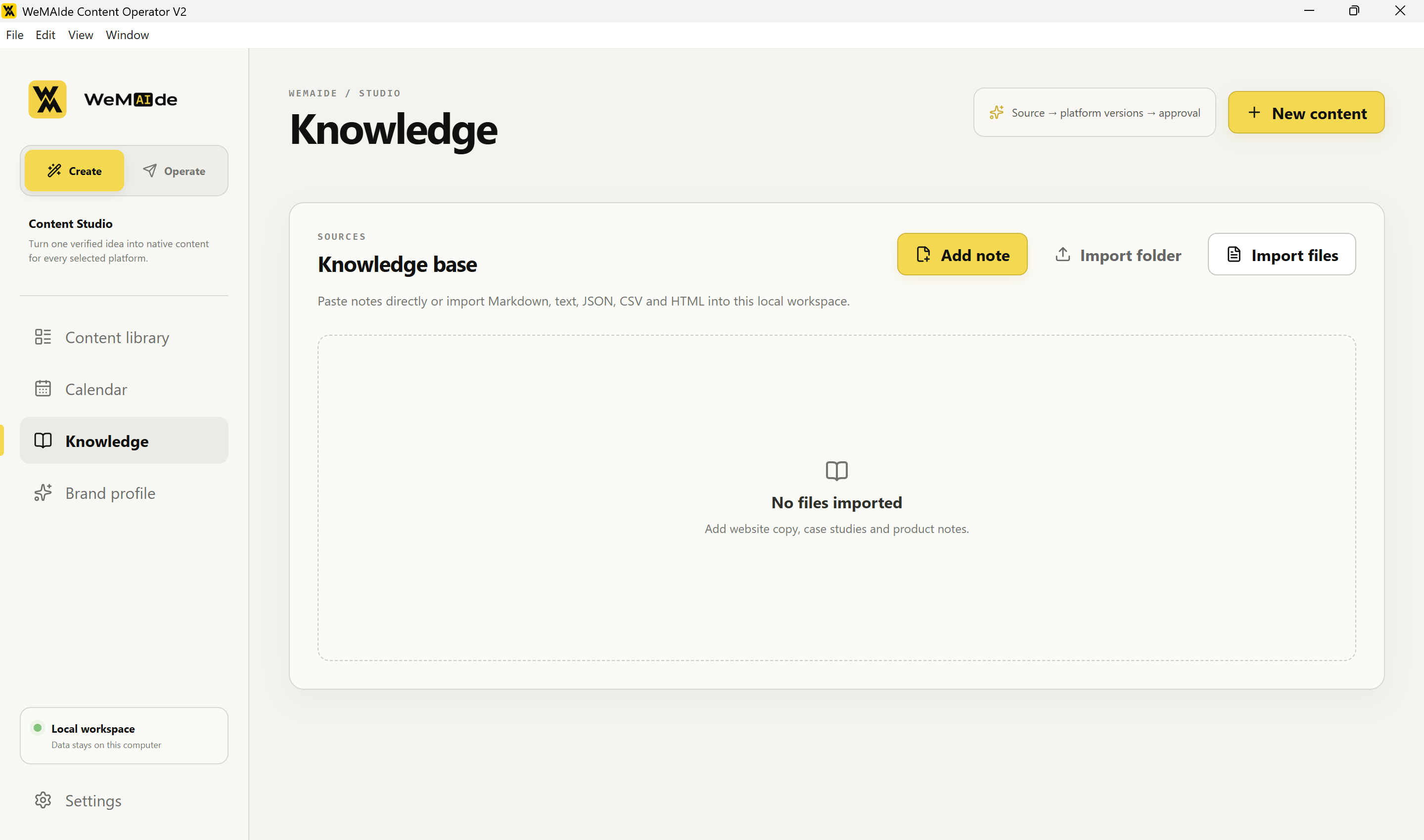
The application accepts notes and supported text-based files into its local workspace. In the reviewed generation path, the request includes the workspace's knowledge collection together with the brand profile and selected output settings. The generation layer joins that knowledge into a bounded text input. It does not perform a semantic retrieval step that selects the most relevant passage for each claim.
That is a deliberate distinction in describing this build: adding documents to a workspace does not by itself create retrieval-augmented generation, source citations or a fact-checking system. The operator still needs to curate current material and inspect whether the output is supported. A larger knowledge library would need an explicit selection or retrieval design rather than assuming an ever-growing prompt is sufficient.
The request also supplies platform guidance, tone, audience, verified-facts instructions and claims to avoid. Instructions to preserve facts reduce ambiguity about the task; they do not prove every generated sentence is correct. In a practical review, compare the important claims with the actual source before marking a draft Ready.
Local-first still has two external data boundaries
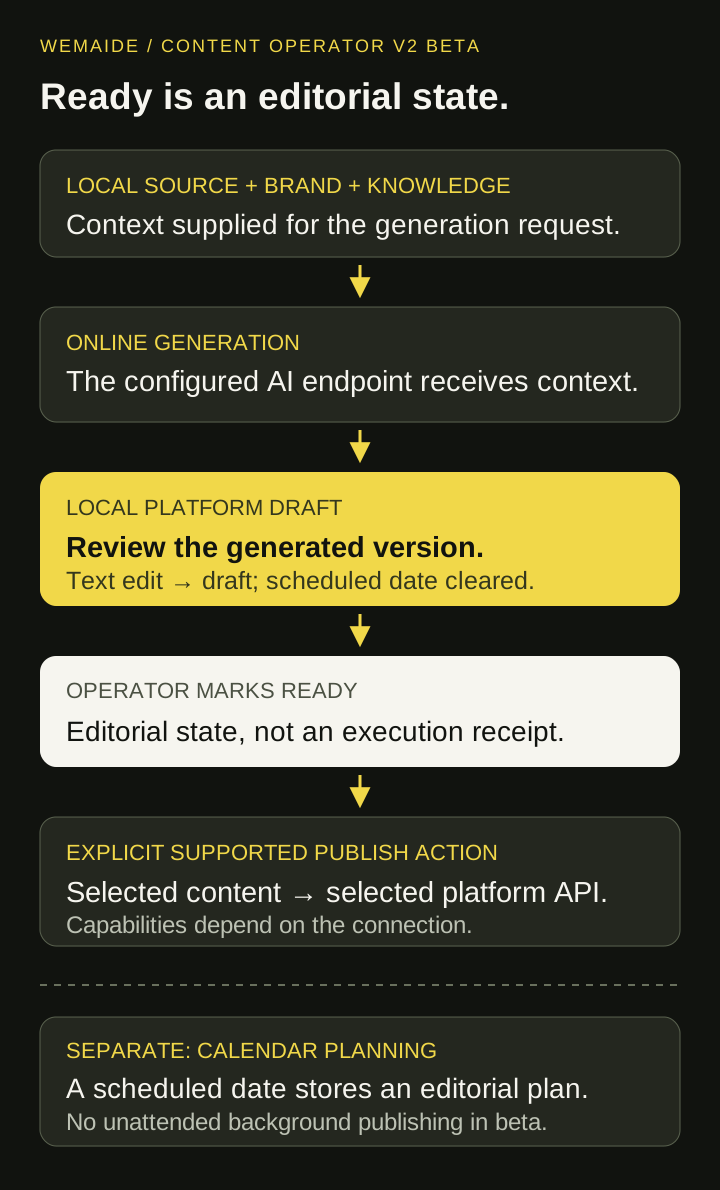
Current architecture, simplified:
local source + brand + workspace knowledge
  → generation request to the configured AI endpoint
  → platform drafts in the local workspace
  → operator review and explicit supported publishing action
  → selected platform API
The local workspace is useful for keeping the working collection and editorial state on the operator's machine. Online generation still sends the assembled request to the configured AI provider. Publishing sends the chosen content to the selected platform. The relevant privacy question is therefore which material crosses each boundary, not simply whether the application is installed on a desktop.
Credentials use the application's local protected-storage flow. This article does not reproduce credential screens, account tokens or a user's runtime database. A deployment review must still consider the endpoint, provider settings, who operates the machine and what material is approved for an online request.
A text change returns the draft to review
In the reviewed editor path, changing draft text sets its state to draft and clears scheduledAt. The Ready action is separate. This prevents an edited text from simply retaining the previous editorial state and calendar assignment. AI-generated revisions also start as drafts rather than inheriting an earlier decision.
| Trigger | Observed implementation behaviour | What the operator should infer |
|---|---|---|
| Generate platform versions | New versions start as draft with no scheduled date | Generation does not approve publication |
| Edit text | State becomes draft and scheduledAt is cleared | Review the changed text again |
| Toggle Ready | The UI changes the editorial state between draft and approved | Ready is a workflow state |
| Assign a calendar slot | The draft stores a scheduled state and timestamp | This is an editorial plan; it is not proof of background execution |
| Explicit supported publication succeeds | The application updates the local draft to published and clears its scheduled date | A returned success and local status are distinct pieces of evidence |
The beta does not provide a complete approval receipt bound to the exact text, media, destination, reviewer and expiry, enforced at a separate execution boundary. A stricter system would recheck that receipt immediately before acting. Editing text already resets its editorial state, but that alone is not a universal guarantee covering every possible change to a proposal.
The calendar and publishing connection solve different jobs
The calendar stores an intended publication time and helps arrange the editorial queue. Unattended background publication is not enabled in the beta described here. An operator should not read a scheduled item as a promise that a closed application will publish it later.
The editor's Publish now action depends on the current draft state, connection and text limits. The reviewed publishing path passes the selected text, platform and optional media to the application layer. Supported connections and media rules vary by platform; six generation formats should not be advertised as six identical unattended publishing integrations.
External failures are also different from local editorial state. A platform can reject content, require another media flow or accept an operation whose response is lost. An expanded production workflow should record enough result evidence to recover uncertain attempts deliberately. This case does not claim a distributed exactly-once publishing mechanism or a complete reconciliation console in the beta.
A review exercise that exposes the important boundaries
Use a synthetic release note: The Windows beta can prepare separate drafts for six platforms; publication requires an explicit supported action. Ask for two platform versions. Inspect whether either version invents automatic background publishing, a universal connection or an unsupported numerical saving. These are illustrative checks, not claimed results of a new model experiment.
- Compare each material feature claim with the supplied release note and actual product scope.
- Edit a draft after marking it Ready and inspect its return to draft and removal from the calendar.
- Distinguish the planned time, explicit publishing attempt and confirmed external outcome.
- Check text limits and connection status for the chosen platform rather than inferring them from another platform's draft.
- Review which workspace knowledge enters an online generation request before including confidential material.
Visual guide: draft, Ready and explicit publication
What this build demonstrates and what remains to measure
The product demonstrates a concrete way to connect source context, platform-specific drafts and visible operator actions in one local workspace. Its value as an engineering example is the inspectable responsibility split, including the places where the current beta stops. It is not evidence of a particular productivity improvement for every content team.
Useful next measurements would separate generation time, review time, unsupported-claim corrections and confirmed publication outcomes on a defined set of tasks. A genuine before-and-after study needs the same task and quality criteria in both conditions. Until such measurements exist, feature counts and screenshots should remain feature evidence rather than invented ROI.