WEMAIDE / INSIGHTS / ENGINEERING
Telegram bot payments: from an invoice to the right customer access
Plan Telegram bot payments for digital or physical goods. Follow a synthetic Stars order through pre-checkout, confirmed payment, access, recovery and refunds.
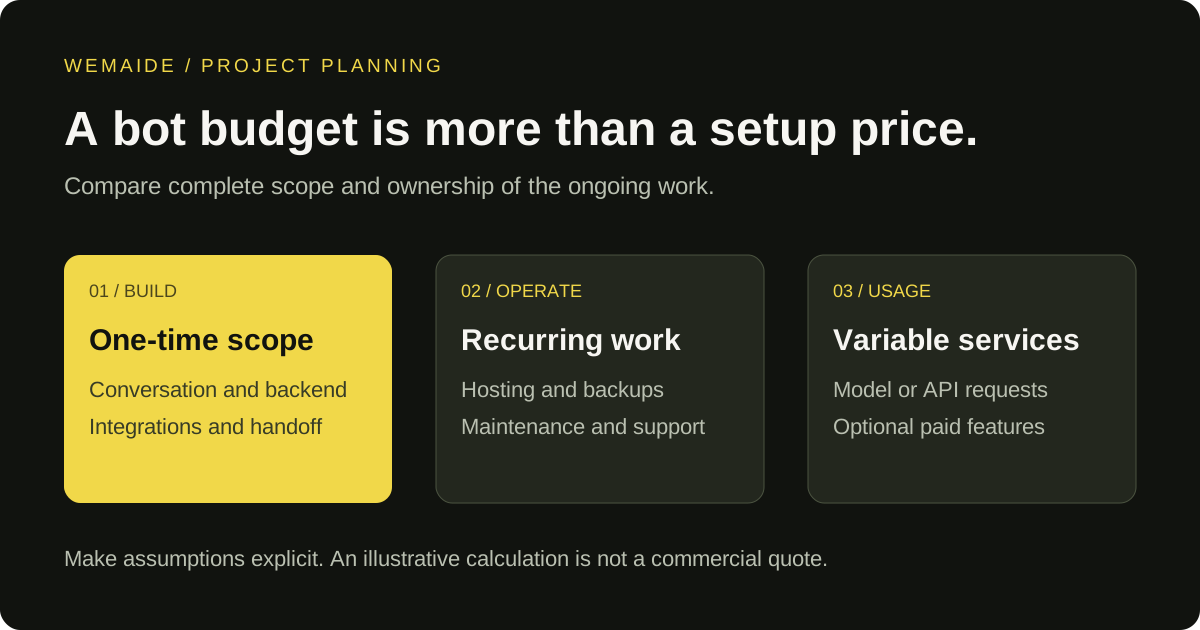
To accept a payment in a Telegram bot, first decide what is being sold. Digital goods and services inside Telegram use Telegram Stars. Physical goods and services use the separate provider-based Bot Payments flow. After choosing the route, define how a confirmed payment changes the customer's order or access. Displaying an invoice is only the beginning of that work.
This guide follows an invented order for a digital report. It is a design example, not a claim that this exact Stars integration is deployed in a WeMAIde product. No real payment was made for the example. Check the current Telegram requirements and the chosen provider's terms before implementing a live checkout.
Choose the payment route before building checkout
| What the customer buys | Route to investigate | Application work still needed |
|---|---|---|
| A digital report, content or in-app digital service | Telegram Stars, currency XTR | Order ownership, amount, confirmed payment and access |
| A physical item or physical service | Provider-based Bot Payments | Provider configuration, fulfilment, applicable customer details and support |
| Recurring digital access | Supported Stars subscription flow | Renewal state, access expiry, cancellation and recovery |
An external website does not by itself exempt digital sales inside Telegram from the Stars requirement. Do not substitute a physical-goods provider flow for an in-app digital purchase. The platform rules distinguish the two; they are not merely alternative checkout button designs.
Give the order a stable identity before the invoice
Suppose a signed-in customer requests one report for 120 Stars. The backend creates order SYN-REPORT-42 with the intended customer, product revision, currency XTR and amount 120. The price is an invented teaching value, not a WeMAIde offer or a conversion rate. Keep the authoritative amount on the server; a Mini App's displayed price is not authority to change an order.
Synthetic application record — not a complete Bot API request
order_id: SYN-REPORT-42
customer_ref: synthetic-customer-42
product_revision: report-v1
currency: XTR
amount: 120
invoice_payload: opaque reference to SYN-REPORT-42
payment_state: awaiting_payment
access_state: not_granted
Use the invoice payload to resolve the server-side order. Avoid placing personal data or a usable access credential in that payload. Decide whether an invoice may be paid by several buyers and how forwarded invoices behave. If the product requires a specific buyer, verify the payer against the order rather than assuming the person viewing a forwarded invoice is its owner.
Pre-checkout checks the order; successful payment confirms the charge
- Create the invoice through the supported Bot API method, using the currency and parameters required for that payment route.
- When pre_checkout_query arrives, resolve the order and check the payer, payload, currency, amount and whether the order remains payable.
- Answer the pre-checkout query within Telegram's documented 10-second window. Keep slow report generation outside this step.
- Wait for successful_payment. Record and validate its order association, currency, amount and Telegram payment charge identifier before granting access.
- Apply the entitlement once in the application's durable state, then notify the customer or expose a recoverable result screen.
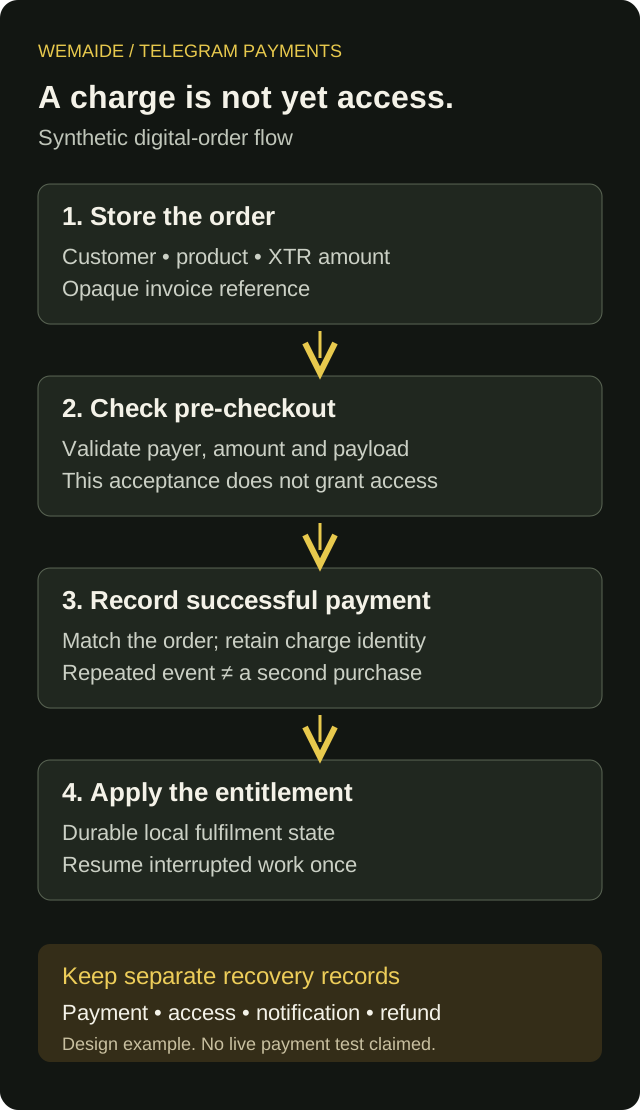
A browser callback saying that an invoice interface closed is not your authoritative payment ledger. Likewise, accepting pre-checkout does not prove that payment completed. Verify the supported server-side payment event through the configured update transport and record its evidence.
Recover payment and access independently
| Observation | Application response | Evidence to retain |
|---|---|---|
| Pre-checkout accepted; no confirmed payment | Leave access ungranted; inspect the actual payment outcome | Order reference and pre-checkout decision |
| The same confirmed payment update arrives again | Recognise the recorded charge; do not extend access twice | Unique payment reference and existing entitlement change |
| Payment recorded; access update interrupted | Resume the idempotent local fulfilment step | Paid order and pending fulfilment state |
| Access granted; customer notification fails | Keep the access; recover the notification separately | Entitlement reference and notification outcome |
| Payment values do not match the order | Hold fulfilment for investigation | Mismatch reason without leaking payment data into public logs |
Enforce a unique payment identity in durable storage and make the local entitlement change transactional where your database supports it. That protects the application's repeated processing; it does not turn Telegram, a payment provider and your database into one transaction. A second genuine charge is different from a repeated update for the first charge and needs its own support policy.
A Telegram subscription bot needs an access ledger
For recurring digital access, inspect createInvoiceLink and the current Stars subscription parameters. At the documentation check for this guide, the supported subscription_period is 2,592,000 seconds, or 30 days. Treat that as the platform's current billing interval, not a generic promise that every calendar month has 30 days. Record the returned subscription and payment information required by the actual flow.
Separate the end of paid access from the setting that controls future renewal. Turning off renewal should not automatically erase an already paid period. Decide what happens when renewal fails, a charge is refunded or a user buys overlapping access. Use confirmed events and the stored paid-through date, rather than blindly adding another month whenever the same update is replayed.
Plan refunds and customer support with fulfilment
For Stars purchases, retain the telegram_payment_charge_id needed by refundStarPayment and provide the required payment-support route, including /paysupport. Document how the application reconciles a refund with report availability or remaining access. Provider-based purchases have their own provider and dispute procedures. Do not claim that a local status change has completed an external refund.
- Test a matching payment, a mismatched amount, a repeated event and two genuinely separate purchases.
- Interrupt fulfilment after recording payment, then verify that recovery grants only the intended access.
- Check that one customer cannot use another customer's order reference to unlock a result.
- Use the platform's documented test environment and supported test flow before going live; synthetic state tables alone do not validate a live payment integration.