WEMAIDE / INSIGHTS / GUIDES
10 Small Business Automations — With Step-by-Step Workflows
Ten practical small business automations with triggers, workflows, owners, exceptions and acceptance checks. Includes an editable automation brief.

The spreadsheet is hungry again. It would like the new lead, the same lead from the other form, the invoice status, and a small piece of somebody's will to live.
Every small business has work that is essential, repetitive and strangely difficult to point at. It happens between the form and the sales record, the paid invoice and the onboarding email, the finished project and the file the client actually receives.
For this WeMAIde field guide, we mapped ten of those jobs. Each example has a trigger, a short workflow, a named operating role and a test that demonstrates the result. The records and businesses are fictional; the examples are implementation briefs rather than claims about ten client deployments.
Use the workflow cards to choose a starting point. Begin with one repeated task, one maintained source and one receiving team. You can add interpretation or more systems after the basic trip works.
| Workflow | Typical starting point | Receiving role |
|---|---|---|
| 1. Give every new enquiry a home | A new submission arrives from the agreed website form. | The sales operator who owns unassigned or rejected records. |
| 2. Put quote follow-ups on a real list | An open quote reaches its agreed follow-up date. | The salesperson responsible for the quote and the follow-up window. |
| 3. Check payment before reminding somebody to pay | An invoice reaches the configured reminder date. | The billing operator who resolves payment-status disputes and stale records. |
| 4. Turn an approved project into one onboarding checklist | A staff member marks the project ready for onboarding. | The project manager who confirms scope and checks the receiving workspace. |
| 5. Send the meeting facts before the meeting | An opted-in team member has a scheduled project call. | The account or project owner who decides which notes belong in the brief. |
| 6. Make low-stock items somebody's task | The daily inventory check finds a configured threshold exception. | The stock operator who can correct counts and close the task. |
| 7. Route support without sending everything to everyone | A new request enters the agreed support channel. | The support lead responsible for the unassigned queue and service hours. |
| 8. Put the same reporting window in the weekly report | The agreed weekly reporting window closes. | The operations owner who agrees definitions and investigates missing data. |
| 9. Get receipts out of the camera roll | A team member submits a receipt through the approved intake route. | The expense reviewer who corrects fields and approves export. |
| 10. Deliver the version that was actually approved | The project owner approves a specific delivery manifest. | The delivery owner who signs off the manifest and recipient list. |
1. Give every new enquiry a home
A customer submits a form. Sales receives an email. Somebody promises to put it in the CRM after lunch. The enquiry is now being managed by lunch.
Service businesses receiving website enquiries. A new submission arrives from the agreed website form.
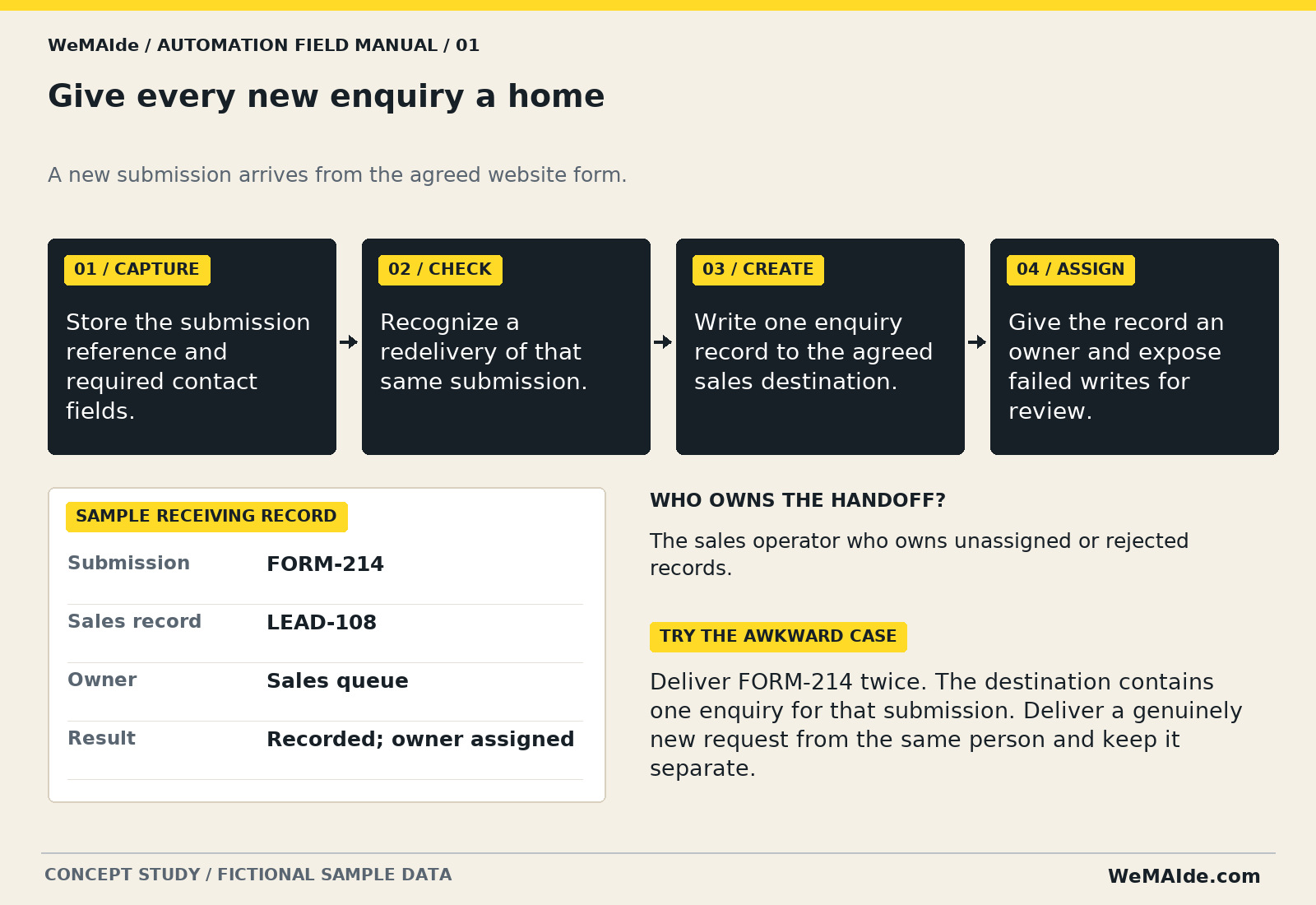
- Capture. Store the submission reference and required contact fields.
- Check. Recognize a redelivery of that same submission.
- Create. Write one enquiry record to the agreed sales destination.
- Assign. Give the record an owner and expose failed writes for review.
First release. One form, one destination and a rule for assigning an owner. A second form and historical lead cleanup are separate additions.
Operating owner. The sales operator who owns unassigned or rejected records.
Exceptions. Missing required fields go to a visible review list. Match retries by submission identity; two legitimate enquiries from one email address can be different jobs.
Acceptance check. Deliver FORM-214 twice. The destination contains one enquiry for that submission. Deliver a genuinely new request from the same person and keep it separate.
Where AI fits. AI could suggest a category from the message. The record identity and destination write stay in application rules.
2. Put quote follow-ups on a real list
The quote has been sent. Its follow-up date currently lives in the same mental drawer as the dentist appointment and the office light bulb.
Printing, installation and project-based sales. An open quote reaches its agreed follow-up date.
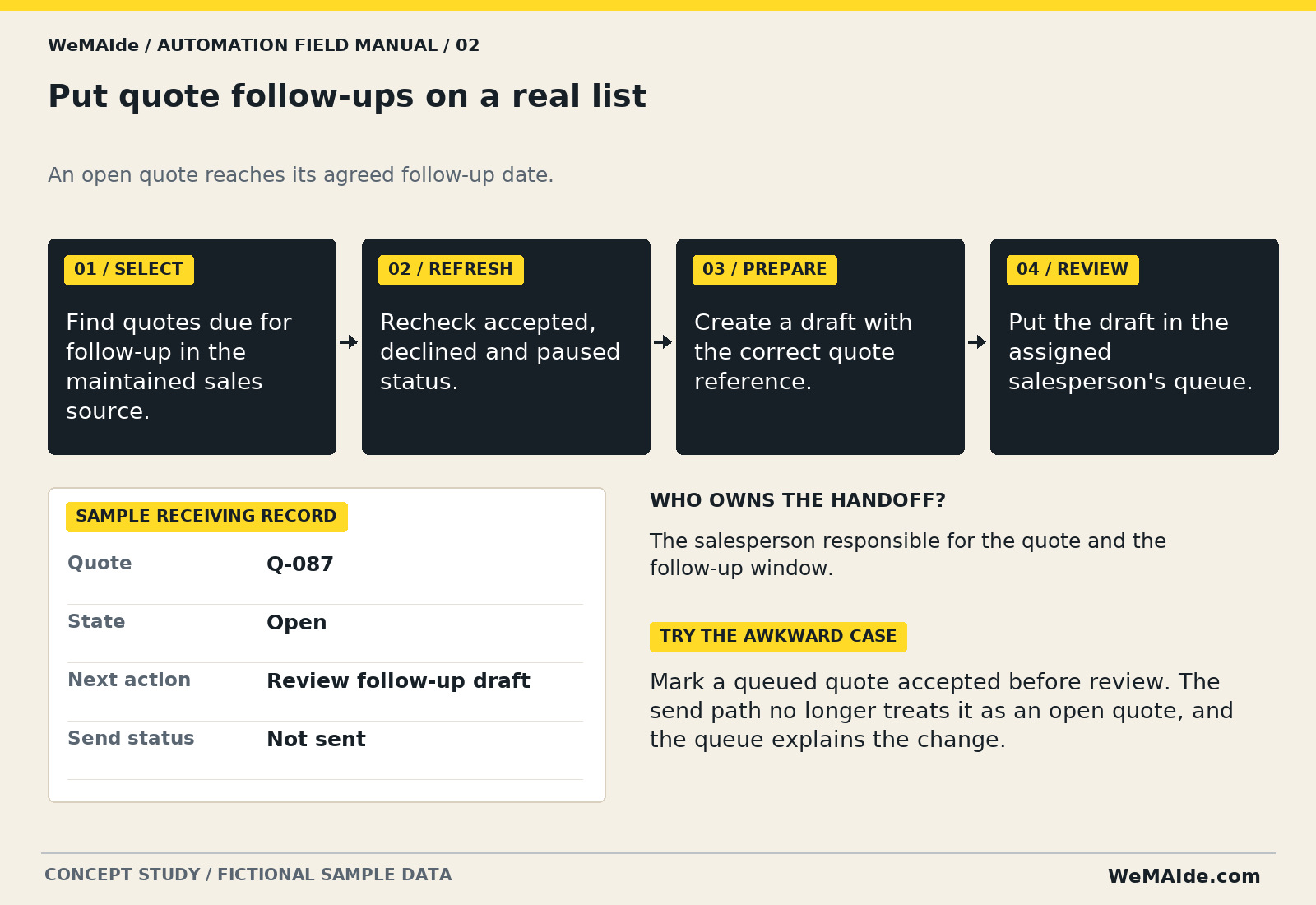
- Select. Find quotes due for follow-up in the maintained sales source.
- Refresh. Recheck accepted, declined and paused status.
- Prepare. Create a draft with the correct quote reference.
- Review. Put the draft in the assigned salesperson's queue.
First release. A daily review queue for one quote type. Keep the initial release draft-only until the team has checked timing, wording and stop rules.
Operating owner. The salesperson responsible for the quote and the follow-up window.
Exceptions. Accepted, declined, opted-out or manually paused records should leave the queue. If the source cannot be refreshed, hold the draft.
Acceptance check. Mark a queued quote accepted before review. The send path no longer treats it as an open quote, and the queue explains the change.
Where AI fits. AI can draft wording using the approved quote facts. It must not invent a discount, availability or a new deadline.
3. Check payment before reminding somebody to pay
Nothing says personal service like a friendly overdue reminder sent to somebody who paid yesterday.
Teams sending invoices through an existing billing system. An invoice reaches the configured reminder date.
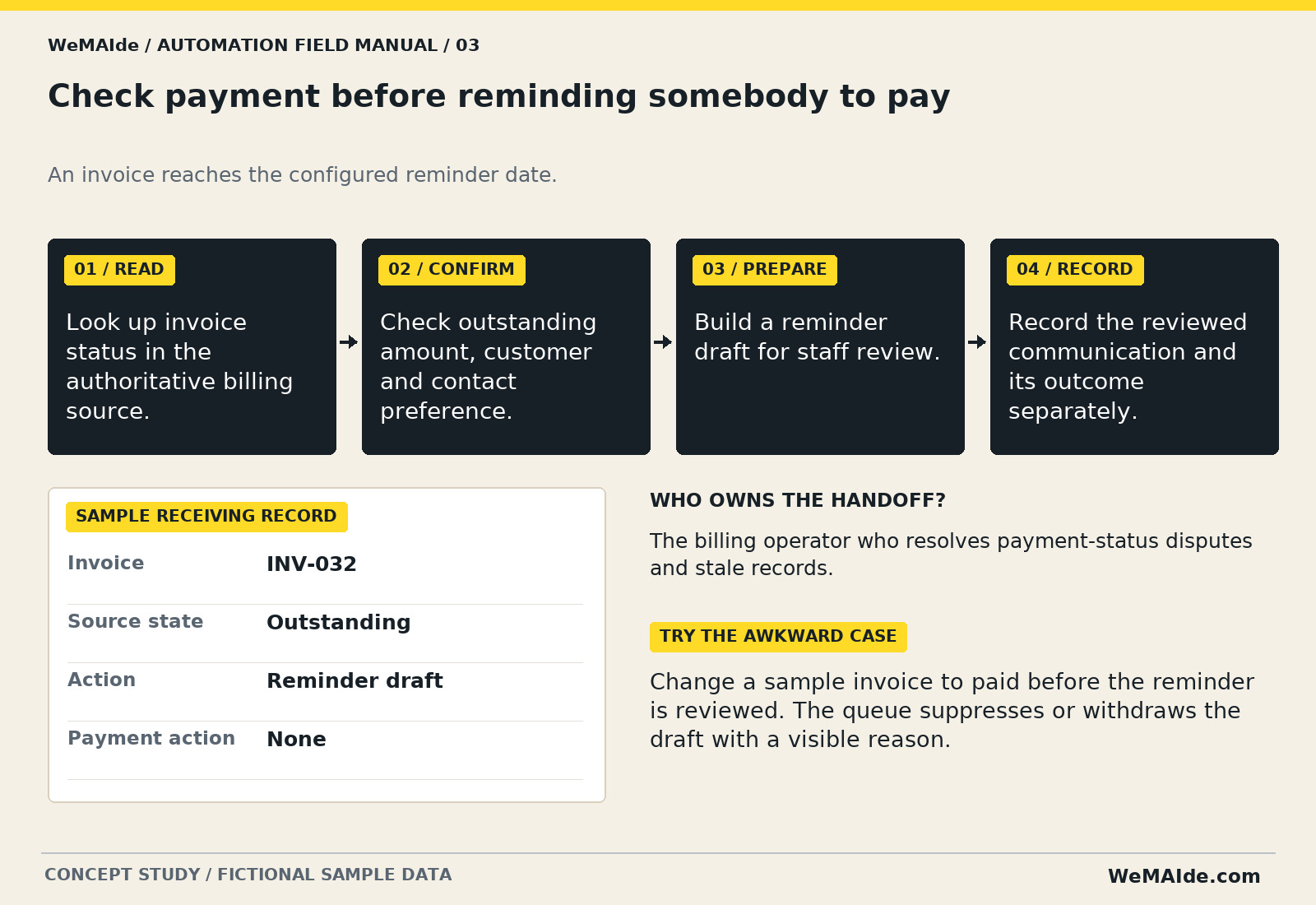
- Read. Look up invoice status in the authoritative billing source.
- Confirm. Check outstanding amount, customer and contact preference.
- Prepare. Build a reminder draft for staff review.
- Record. Record the reviewed communication and its outcome separately.
First release. Prepare a daily list and reminder drafts. Staff sends through the existing approved channel; no payment collection or automatic charge is introduced.
Operating owner. The billing operator who resolves payment-status disputes and stale records.
Exceptions. Hold reminders for paid, disputed or recently changing records. A successful message delivery does not establish whether an invoice was paid.
Acceptance check. Change a sample invoice to paid before the reminder is reviewed. The queue suppresses or withdraws the draft with a visible reason.
Where AI fits. A model may help with polite wording. The billing system supplies the payment facts.
4. Turn an approved project into one onboarding checklist
Welcome aboard. Please enjoy these eight messages, three forms and the folder somebody forgot to share.
Agencies, consultants and service studios. A staff member marks the project ready for onboarding.
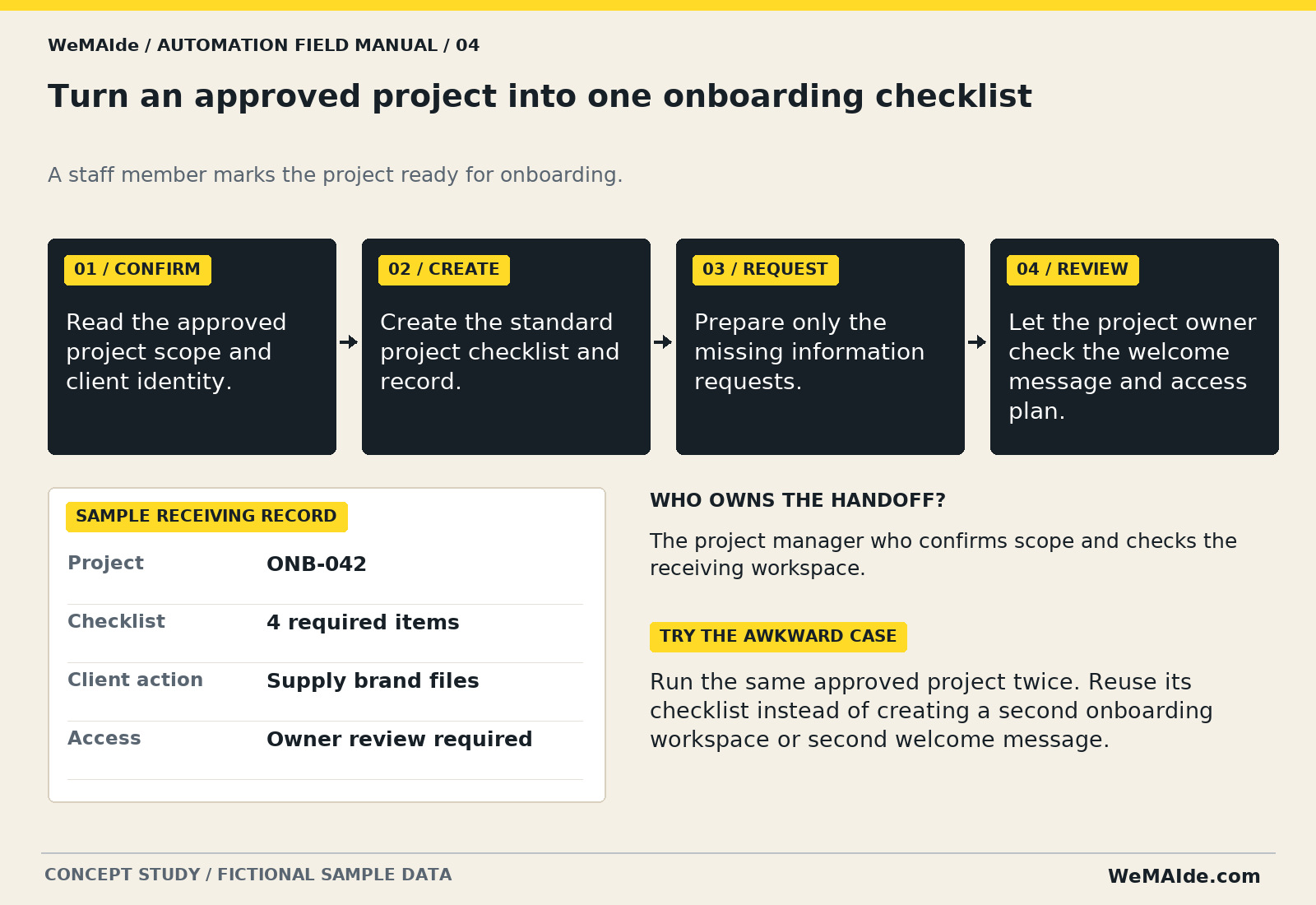
- Confirm. Read the approved project scope and client identity.
- Create. Create the standard project checklist and record.
- Request. Prepare only the missing information requests.
- Review. Let the project owner check the welcome message and access plan.
First release. One service package, one checklist and a welcome-message draft. Creating accounts or granting access needs its own explicit permission flow.
Operating owner. The project manager who confirms scope and checks the receiving workspace.
Exceptions. A changed scope or existing project should pause a duplicate setup. Sharing a folder is a distinct action with a defined audience.
Acceptance check. Run the same approved project twice. Reuse its checklist instead of creating a second onboarding workspace or second welcome message.
Where AI fits. AI can adapt the checklist wording to the agreed scope; required items come from the service template.
5. Send the meeting facts before the meeting
The call starts in four minutes. Somebody is searching six conversations for what everybody agreed on last Thursday.
Account managers and project teams. An opted-in team member has a scheduled project call.
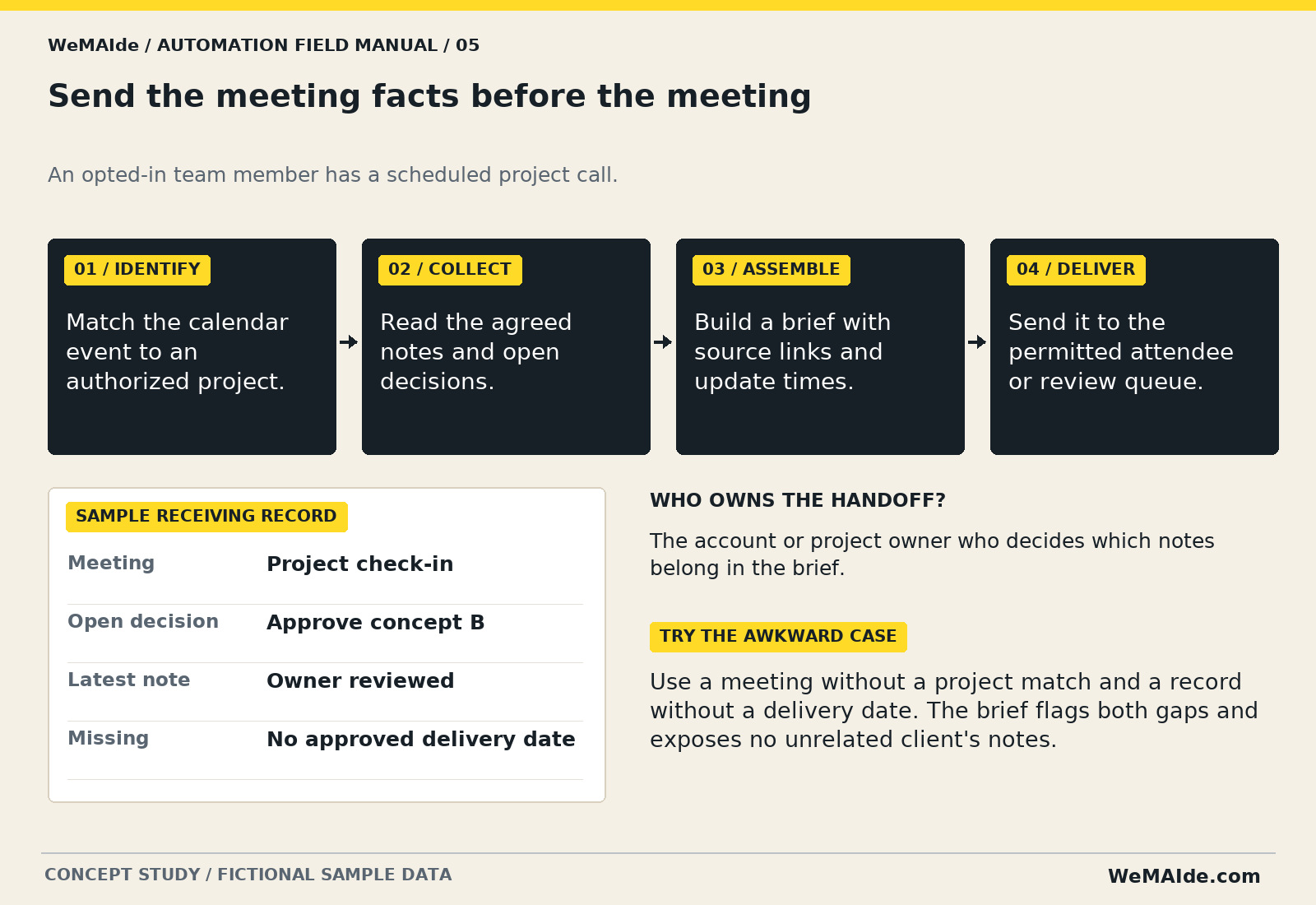
- Identify. Match the calendar event to an authorized project.
- Collect. Read the agreed notes and open decisions.
- Assemble. Build a brief with source links and update times.
- Deliver. Send it to the permitted attendee or review queue.
First release. One calendar and one project-notes source. Start with links and structured fields before generating a narrative summary.
Operating owner. The account or project owner who decides which notes belong in the brief.
Exceptions. A guessed meeting-to-project match should be reviewed. Missing information should remain missing instead of becoming a plausible story.
Acceptance check. Use a meeting without a project match and a record without a delivery date. The brief flags both gaps and exposes no unrelated client's notes.
Where AI fits. AI can summarize authorized source notes with citations. Decisions and promises still require their actual source.
6. Make low-stock items somebody's task
The inventory sheet knew the boxes were nearly gone. Unfortunately, the inventory sheet does not walk to the supply cupboard and complain.
Small shops and workshops with maintained inventory. The daily inventory check finds a configured threshold exception.
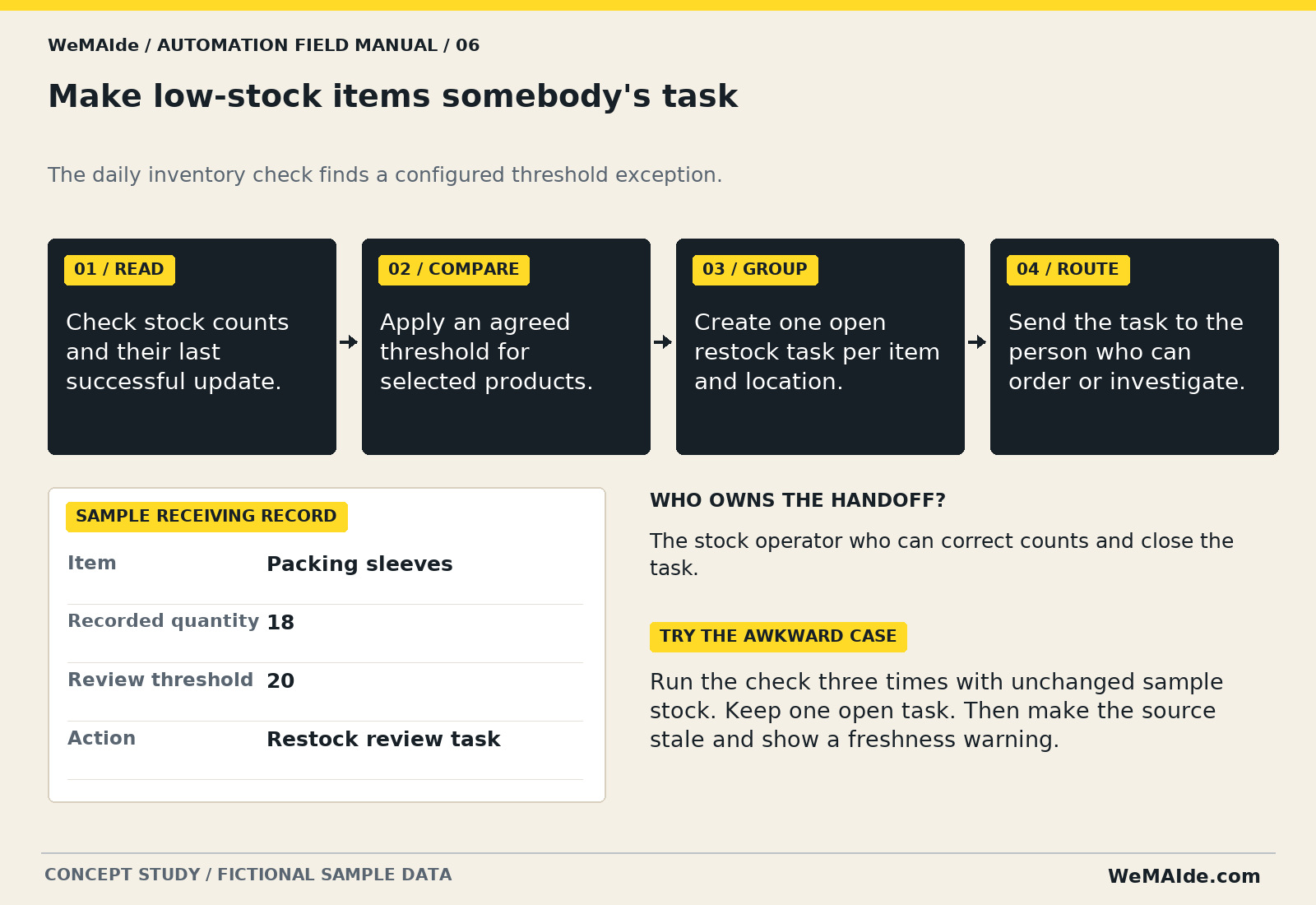
- Read. Check stock counts and their last successful update.
- Compare. Apply an agreed threshold for selected products.
- Group. Create one open restock task per item and location.
- Route. Send the task to the person who can order or investigate.
First release. Watch a short product list and create review tasks. Purchasing, supplier selection and spend approval stay with the existing process.
Operating owner. The stock operator who can correct counts and close the task.
Exceptions. A stale stock source should produce a data warning rather than an apparently current recommendation. An open task should not multiply every morning.
Acceptance check. Run the check three times with unchanged sample stock. Keep one open task. Then make the source stale and show a freshness warning.
Where AI fits. Usually unnecessary for the threshold check. Free-text supplier notes are a separate interpretation task.
7. Route support without sending everything to everyone
The fastest way to notify the whole company is to make sure nobody knows who owns the message.
Businesses with several product or service queues. A new request enters the agreed support channel.
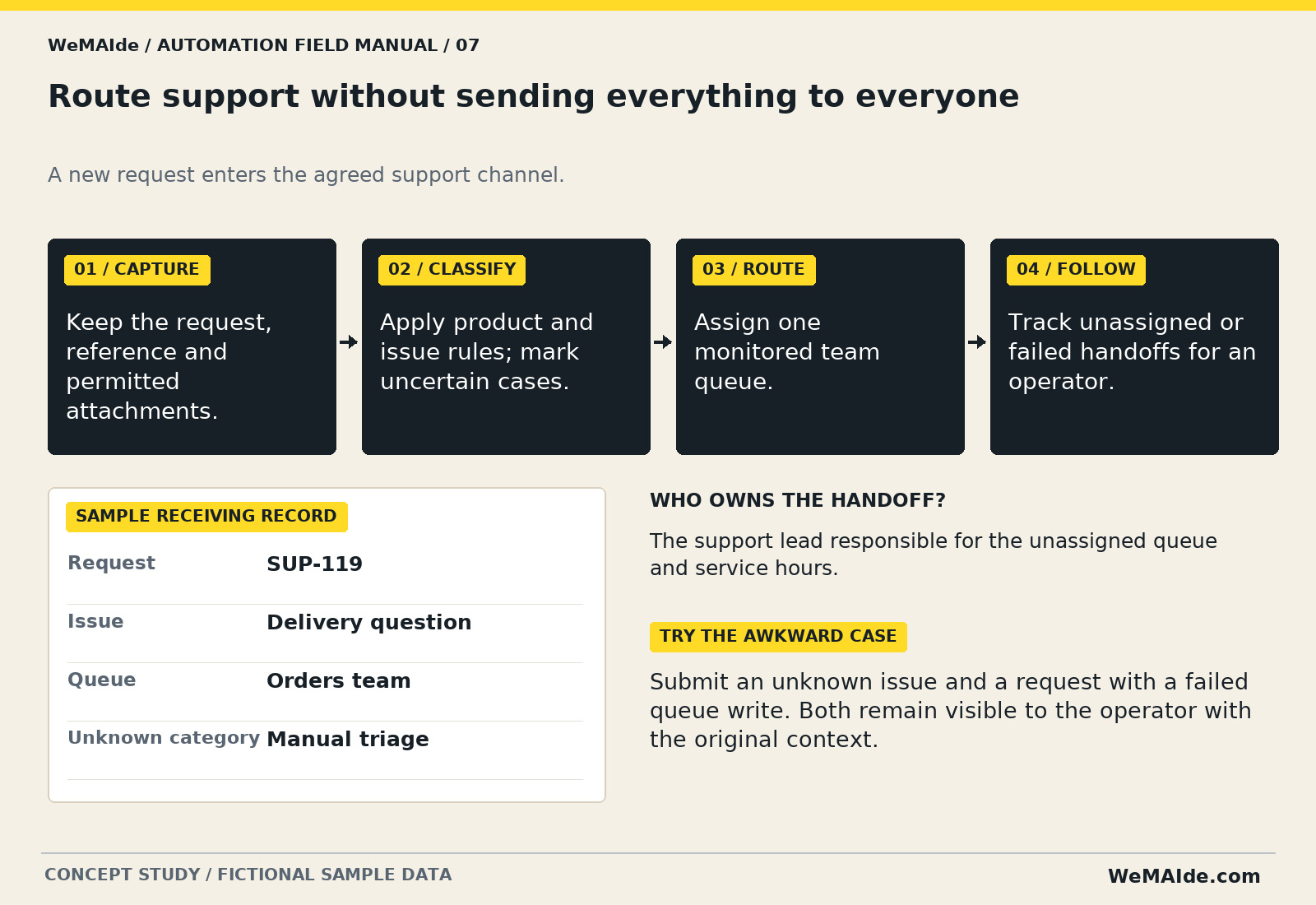
- Capture. Keep the request, reference and permitted attachments.
- Classify. Apply product and issue rules; mark uncertain cases.
- Route. Assign one monitored team queue.
- Follow. Track unassigned or failed handoffs for an operator.
First release. A small category list, one receiving queue per category and a manual triage lane. Preserve the original customer message.
Operating owner. The support lead responsible for the unassigned queue and service hours.
Exceptions. Low-confidence or unfamiliar requests go to triage. Routing success does not mean the issue is resolved or an agent is already replying.
Acceptance check. Submit an unknown issue and a request with a failed queue write. Both remain visible to the operator with the original context.
Where AI fits. A model can propose a category. Uncertain suggestions need a defined fallback rather than a confident fictional department.
8. Put the same reporting window in the weekly report
Sales are up. Compared with what? The report would prefer that you focus on the green arrow.
Owners combining a few business data sources. The agreed weekly reporting window closes.
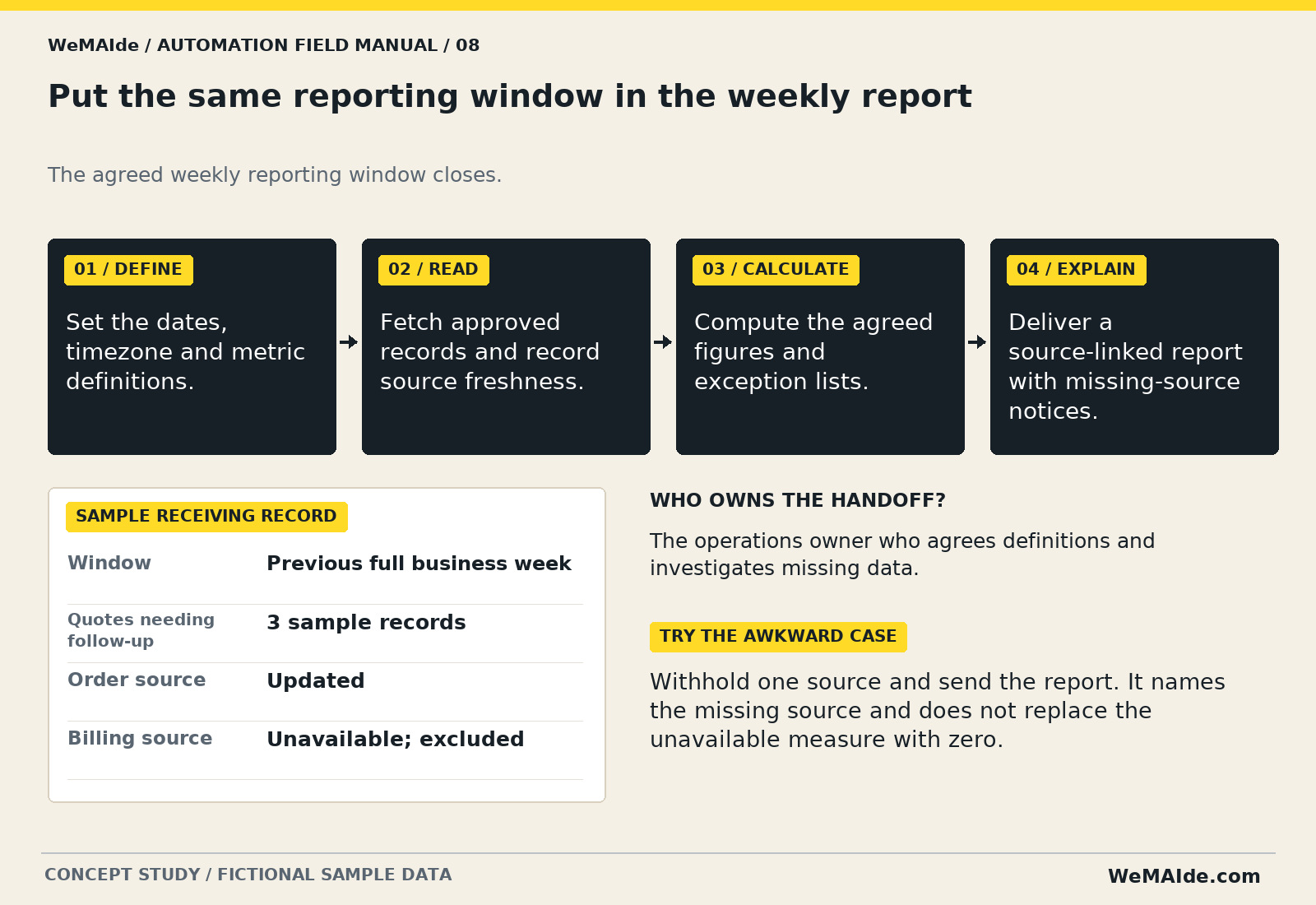
- Define. Set the dates, timezone and metric definitions.
- Read. Fetch approved records and record source freshness.
- Calculate. Compute the agreed figures and exception lists.
- Explain. Deliver a source-linked report with missing-source notices.
First release. Two useful measures and one exception list. Show the reporting window, source links and what could not be calculated.
Operating owner. The operations owner who agrees definitions and investigates missing data.
Exceptions. Do not silently combine different date ranges, currencies or definitions. A source failure should be visible in the report.
Acceptance check. Withhold one source and send the report. It names the missing source and does not replace the unavailable measure with zero.
Where AI fits. AI can explain calculated results using supplied figures. It should not perform undocumented arithmetic or invent the cause of a change.
9. Get receipts out of the camera roll
The receipt is safe. It is between a sandwich photo and twelve nearly identical parking-space photos.
Teams collecting ordinary business expense records. A team member submits a receipt through the approved intake route.
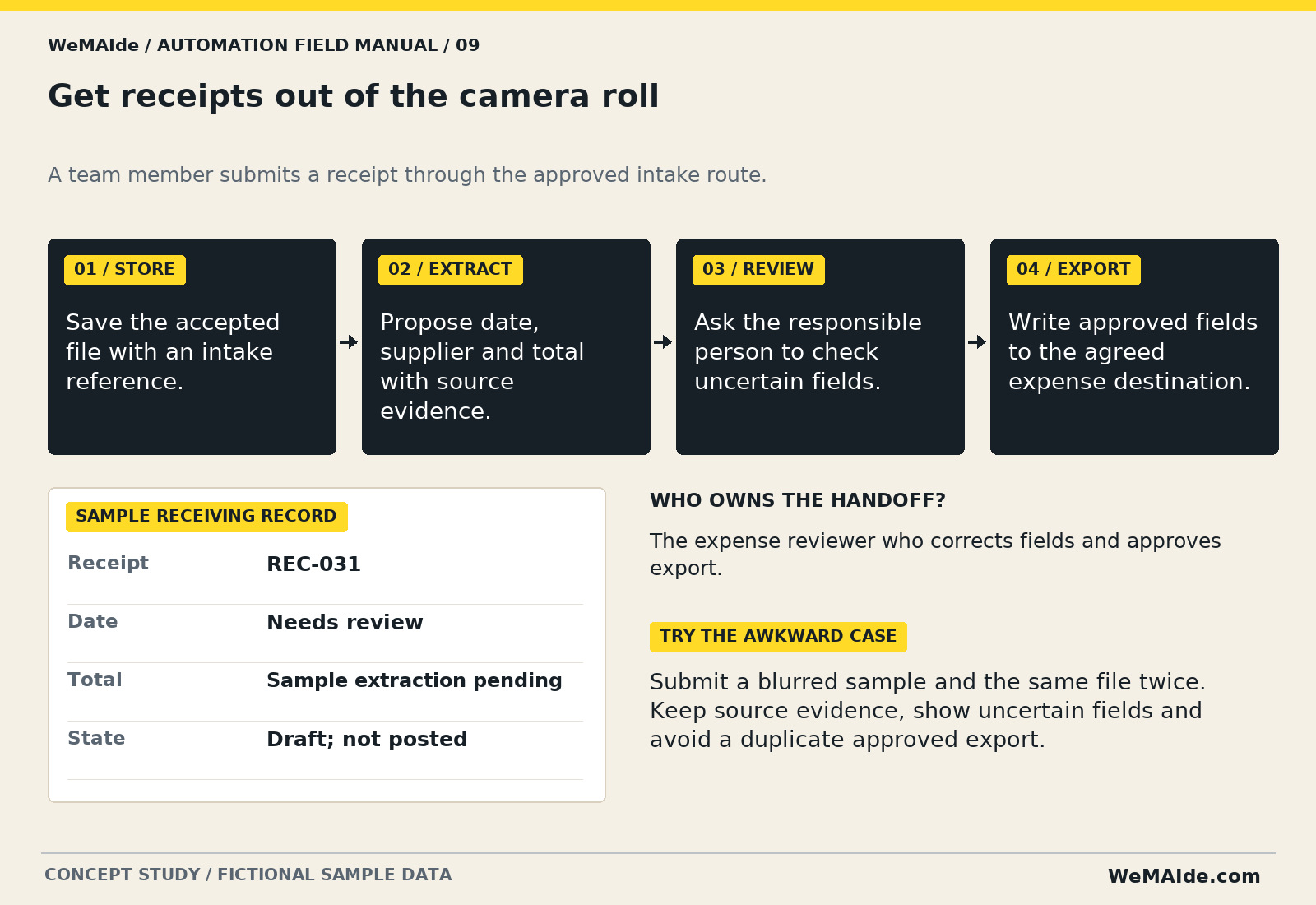
- Store. Save the accepted file with an intake reference.
- Extract. Propose date, supplier and total with source evidence.
- Review. Ask the responsible person to check uncertain fields.
- Export. Write approved fields to the agreed expense destination.
First release. A private upload route, accepted file limits, a review screen and one export destination. Accounting classification remains an assigned review decision.
Operating owner. The expense reviewer who corrects fields and approves export.
Exceptions. Duplicate files, unclear totals and unsupported formats need explicit outcomes. Extracted text can contain instructions; treat it as document data.
Acceptance check. Submit a blurred sample and the same file twice. Keep source evidence, show uncertain fields and avoid a duplicate approved export.
Where AI fits. OCR or a model can propose fields. Extraction is not verification, accounting advice or automatic approval.
10. Deliver the version that was actually approved
Congratulations on finishing the project. Now explain why the delivery folder contains the logo the client rejected two weeks ago.
Creative studios, production teams and consultants. The project owner approves a specific delivery manifest.
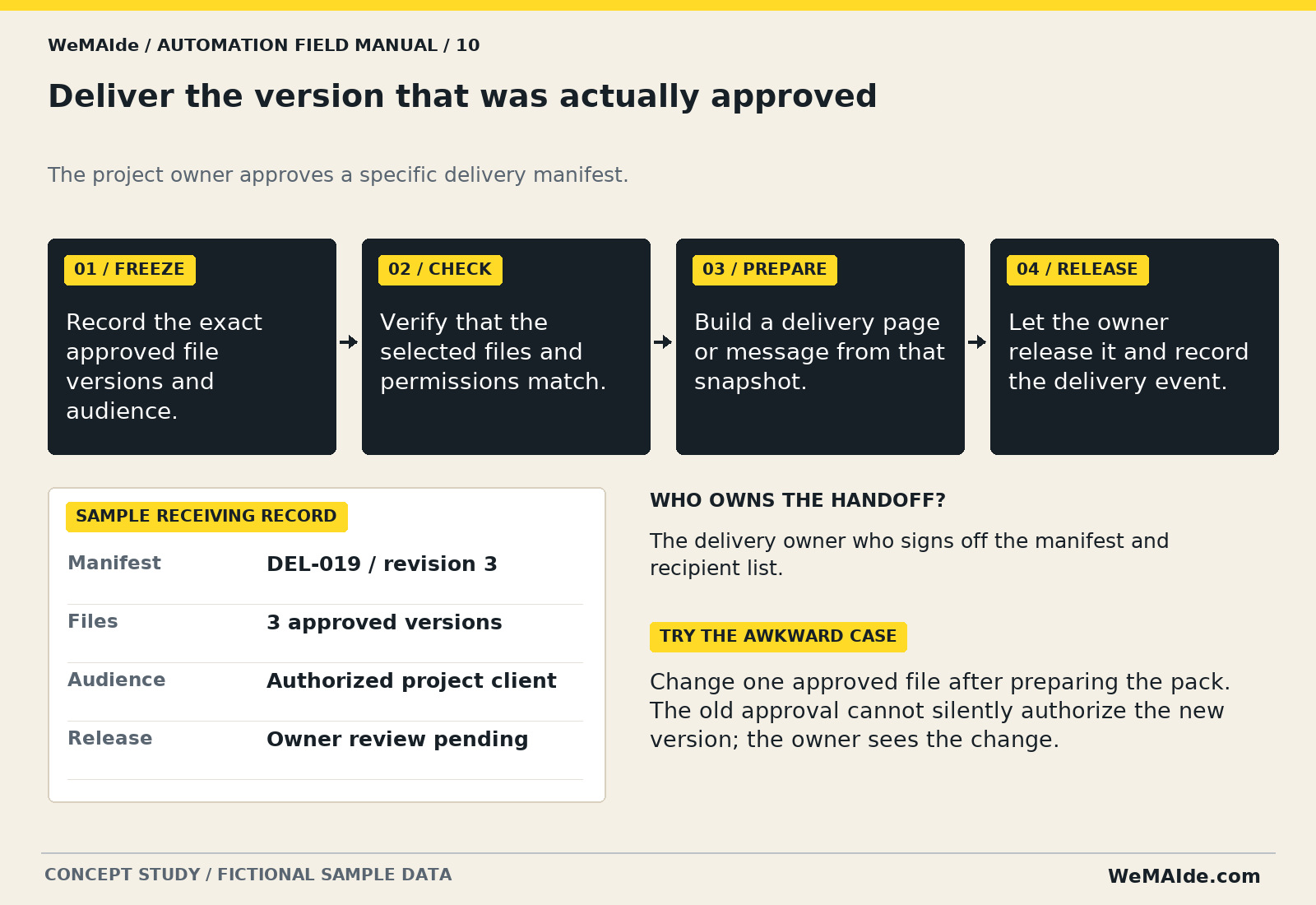
- Freeze. Record the exact approved file versions and audience.
- Check. Verify that the selected files and permissions match.
- Prepare. Build a delivery page or message from that snapshot.
- Release. Let the owner release it and record the delivery event.
First release. One delivery type, an explicit version list and an owner-reviewed message. A recipient opening a file is a separate event from sending a link.
Operating owner. The delivery owner who signs off the manifest and recipient list.
Exceptions. A missing file, changed version or mismatched recipient should hold the release. Never build the pack from whichever file currently has latest in its name.
Acceptance check. Change one approved file after preparing the pack. The old approval cannot silently authorize the new version; the owner sees the change.
Where AI fits. AI can draft a cover note from the manifest. It does not choose the authoritative files or recipients.
Choose the job that is easiest to observe
For a week, record the repeated tasks your team actually performs: the trigger, the tools opened, what gets copied and the person who receives the result. Include corrections and exceptions. A workflow that takes two minutes occasionally may deserve less attention than the one that interrupts the same person twenty times.
Pick a first project whose result you can inspect in the receiving system. A captured enquiry with an owner is observable. An announcement that sales has been automated is much harder to accept.
Count the whole chore
A useful baseline includes the number of runs, active staff time, corrections and follow-up. After the pilot, compare the same job and window, including time spent reviewing drafts and fixing failures. Keep the measurement modest enough that somebody will actually maintain it.
The estimate should name source access, field mapping, permissions, operator controls, hosting and handoff. If the present tools expose no suitable supported connection, discover that before drawing a very confident arrow between them.
Where WeMAIde fits
WeMAIde builds workflow automation, API integrations and internal software around a defined task. Some workflows use AI to interpret messy input; others work well with ordinary rules. The first deliverable is a complete, testable trip from input to the receiving record, with an operating owner.
Our published Content Operator and ThreadsFlow work provides related examples of controlled content workflows. The ten business scenarios here are separate illustrative briefs. Bring one real repeated task and the records your team currently uses; we can define the first release around that evidence.
Capture the trigger, receiving record, owner, exceptions and acceptance check for one repeated task.
References for webhook delivery and retries
Provider examples illustrate why delivery identity, acknowledgements and recovery matter. Each integration must use the selected provider's actual API and delivery rules.
Original WeMAIde workflow study with AI-assisted editorial material and artwork. All records, quantities and scenarios are fictional examples. No client savings or commercial results are claimed.