WEMAIDE / INSIGHTS / GUIDES
10 business website ideas you can picture using
Pick a flat by its windows, a class by the cup you’ll make or a hotel room by its morning light. Ten original WeMAIde website concepts, with desktop and mobile layouts and a practical first release for each.
Imagine buying an apartment from a website that gives its sunniest kitchen and its basement storage unit exactly the same grey card. Somewhere in that catalogue is the window you’ll look through every morning. How quickly can you find it?
For this WeMAIde design study we took ten familiar businesses and gave each a different starting point. Each fictional brand below is a design template you can borrow as a brief. Open a desktop and mobile board at full size to inspect the layout. The first, fifth and ninth concepts also have small working selectors with sample data.
1. Real estate — Choose a window before a floor plan
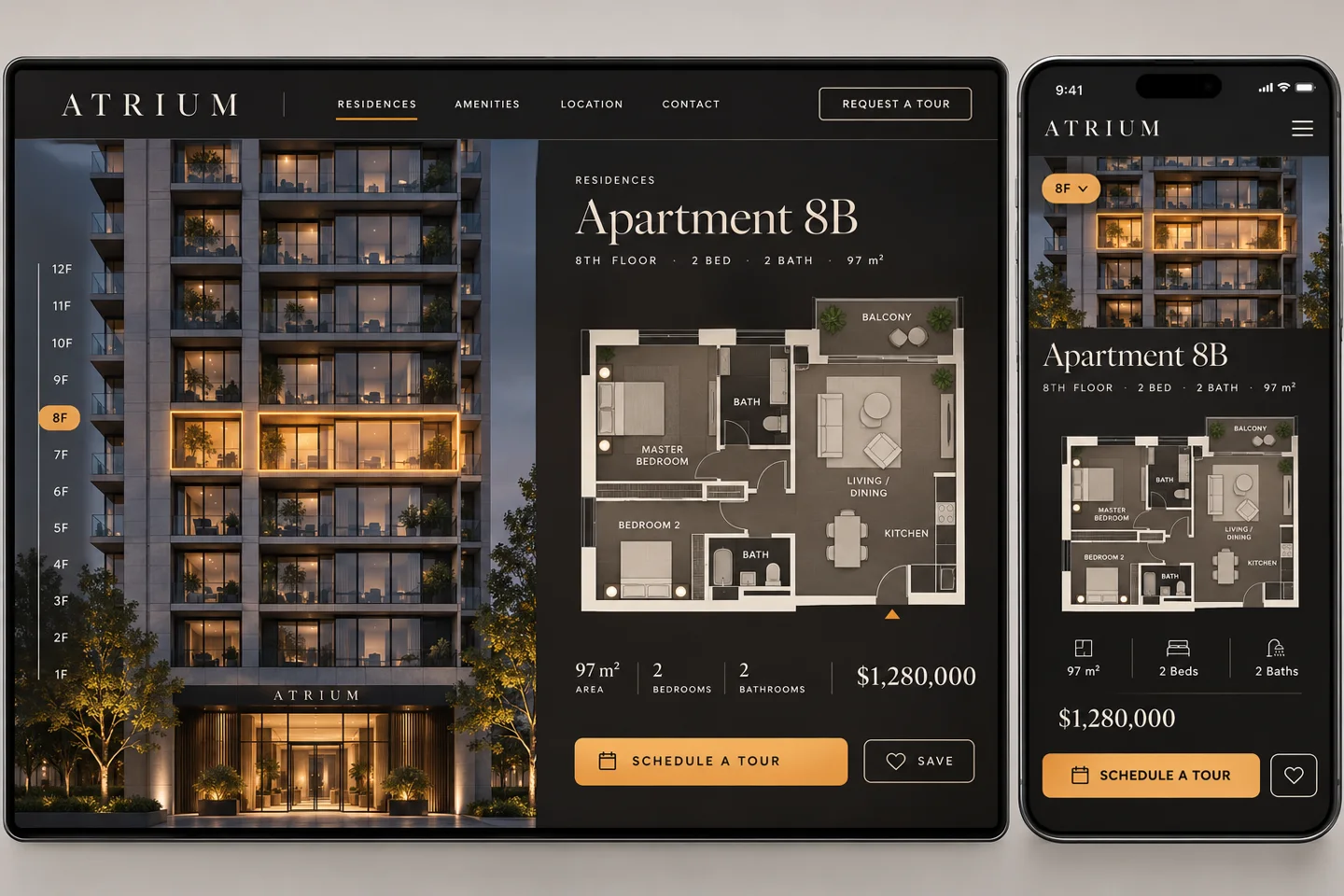
A buyer asks which kitchen catches the morning sun. The brochure gives them fourteen PDFs. Put the building elevation on the first screen instead. Selecting a floor lights up its windows and reveals the flats behind them. Opening one flat keeps its position on the facade visible beside the plan. A viewing request can carry the unit number all the way to the sales desk.
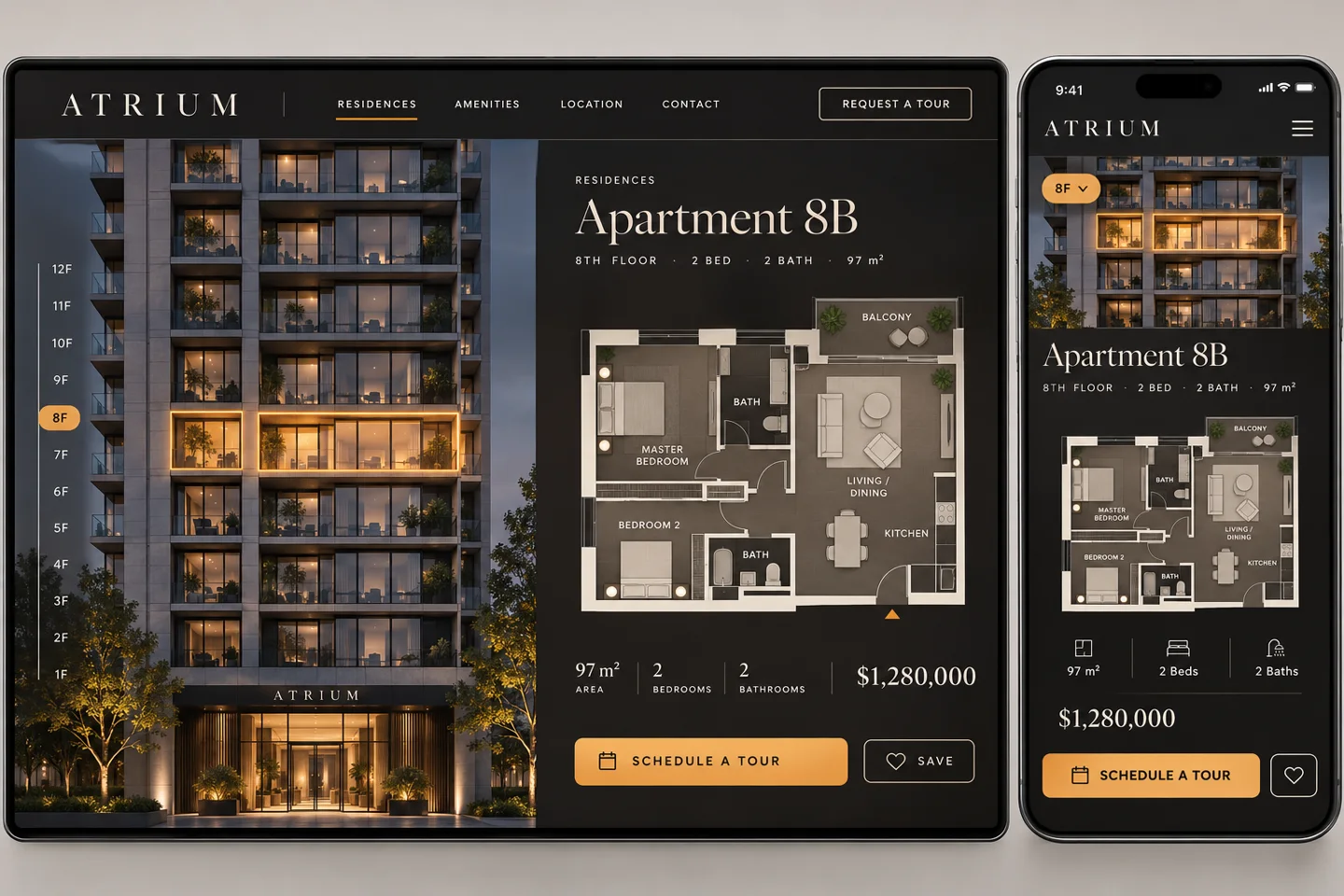
One approved elevation, floor plans and a maintained availability list can support the first release. On a phone, give each floor a full-width button. Trying to tap a tiny eighth-floor window on a moving train is a fairly advanced form of house hunting.
2. Fashion retail — Sell the jacket in good company
A shopper has found the jacket. Their next question is what to wear with it. Hold the model, lighting and camera position steady while the shopper changes between styled looks. Keep the jacket in place. Show the sizes and individual prices for the pieces in the selected outfit, so someone who owns similar trousers can buy just the jacket.
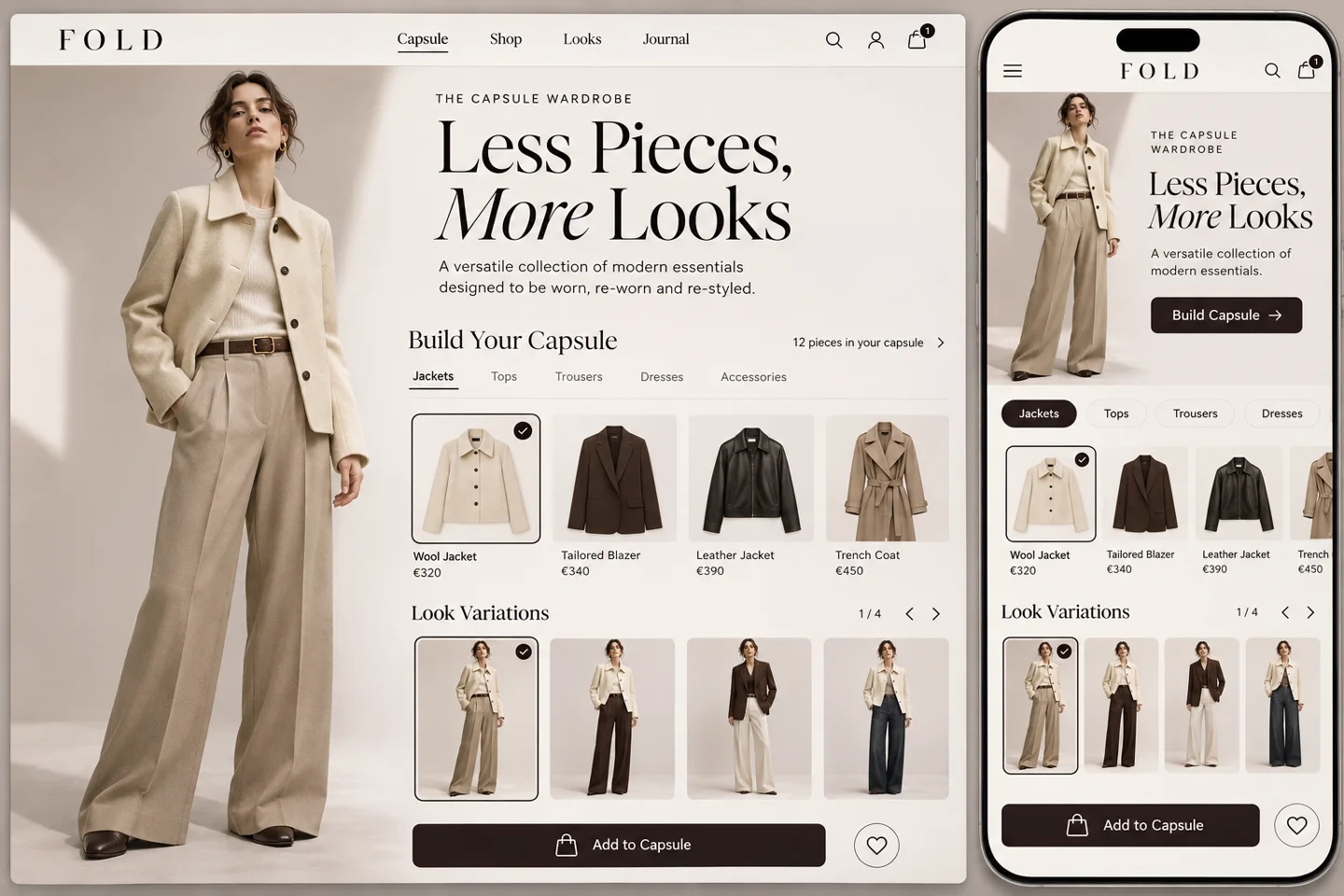
Start with one capsule and photograph complete outfits during the same shoot. A short strip of looks works under the portrait on mobile. The ongoing cost to consider is producing a new set of matched photographs when the collection changes.
3. Beauty studio — Bring a look to the appointment
“Natural, but a little more evening” can mean two very different things across a makeup counter. Let a client browse finished looks on a portrait, tap a lip shade and save the look as a reference for the artist. The booking can include the look name, occasion and appointment length.
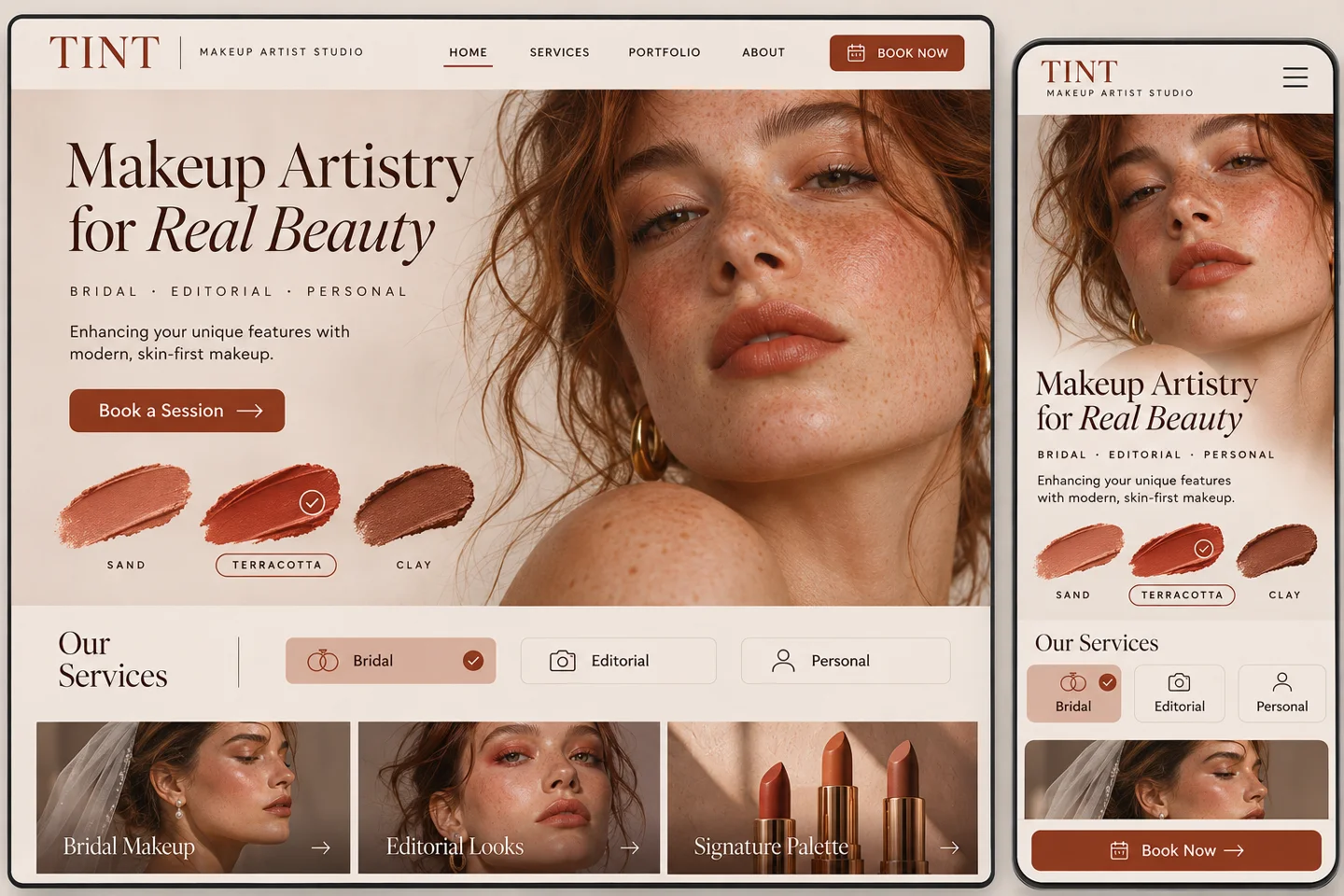
Photograph a small menu of finishes on several skin tones under consistent light. Start with those prepared portraits. Live camera try-on is a separate production decision. On mobile, place the palette below the chin so a thumb never covers the result.
4. Furniture showroom — Shop the room, down to the reading lamp
A sofa against a white background tells you very little about the room it will inhabit. Stage a living room and let visitors select its furniture in place. Touch the sofa to see its width, upholstery and price. Touch the lamp to add it to the same shortlist. A customer can walk into the showroom with the whole arrangement saved.
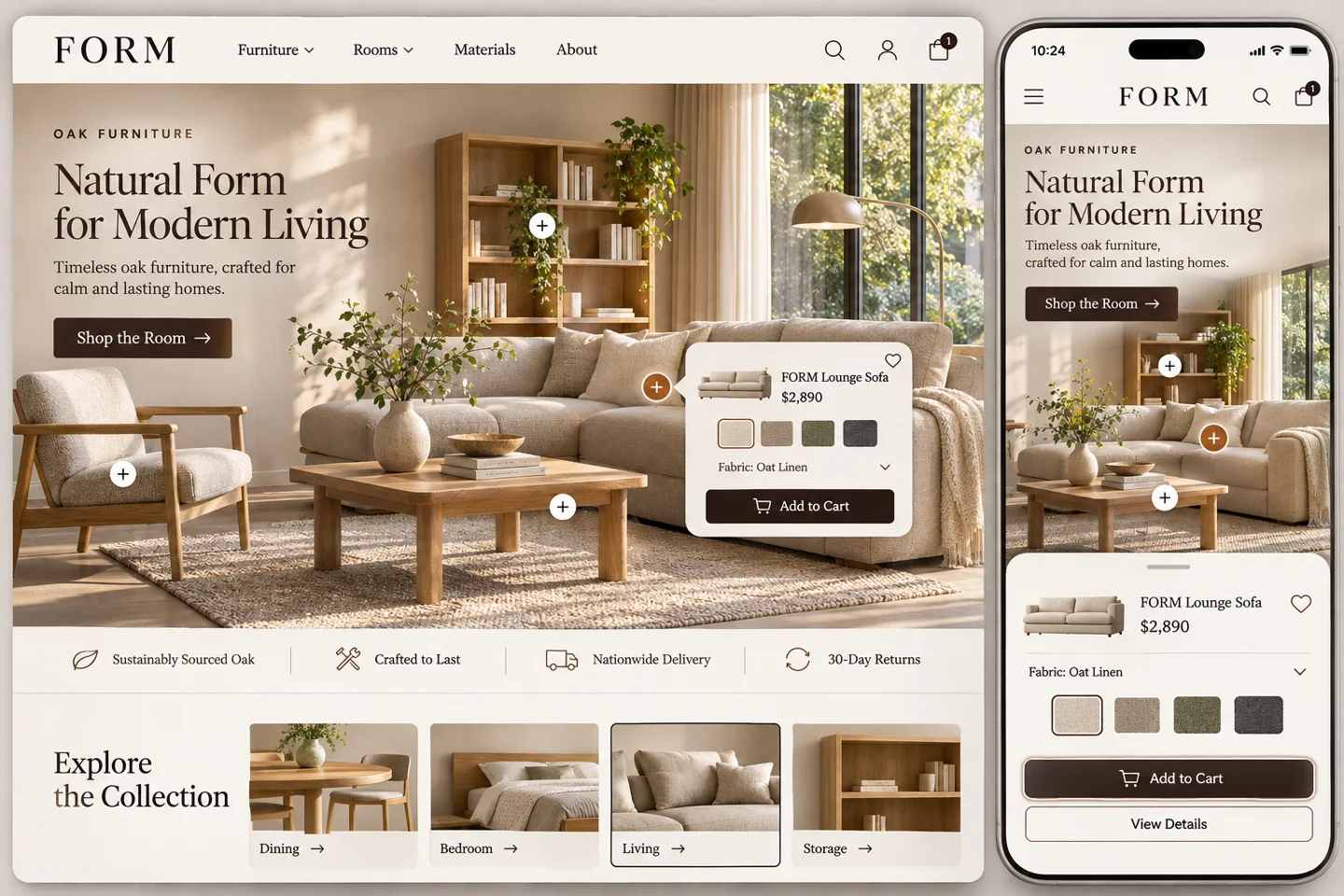
One photographed room and a handful of tagged products make a useful first edition. Include a numbered product list beneath the scene for small screens. Replacing a discontinued lamp then means updating one item rather than commissioning a new room planner.
5. Restaurant — Reserve the seat you came for
Dinner for two by the window and dinner for six near the kitchen are different purchases. Show the room from above, with a photograph from the selected zone. Let visitors see which tables fit their party and whether the space has steps. Carry the preferred zone into the reservation.
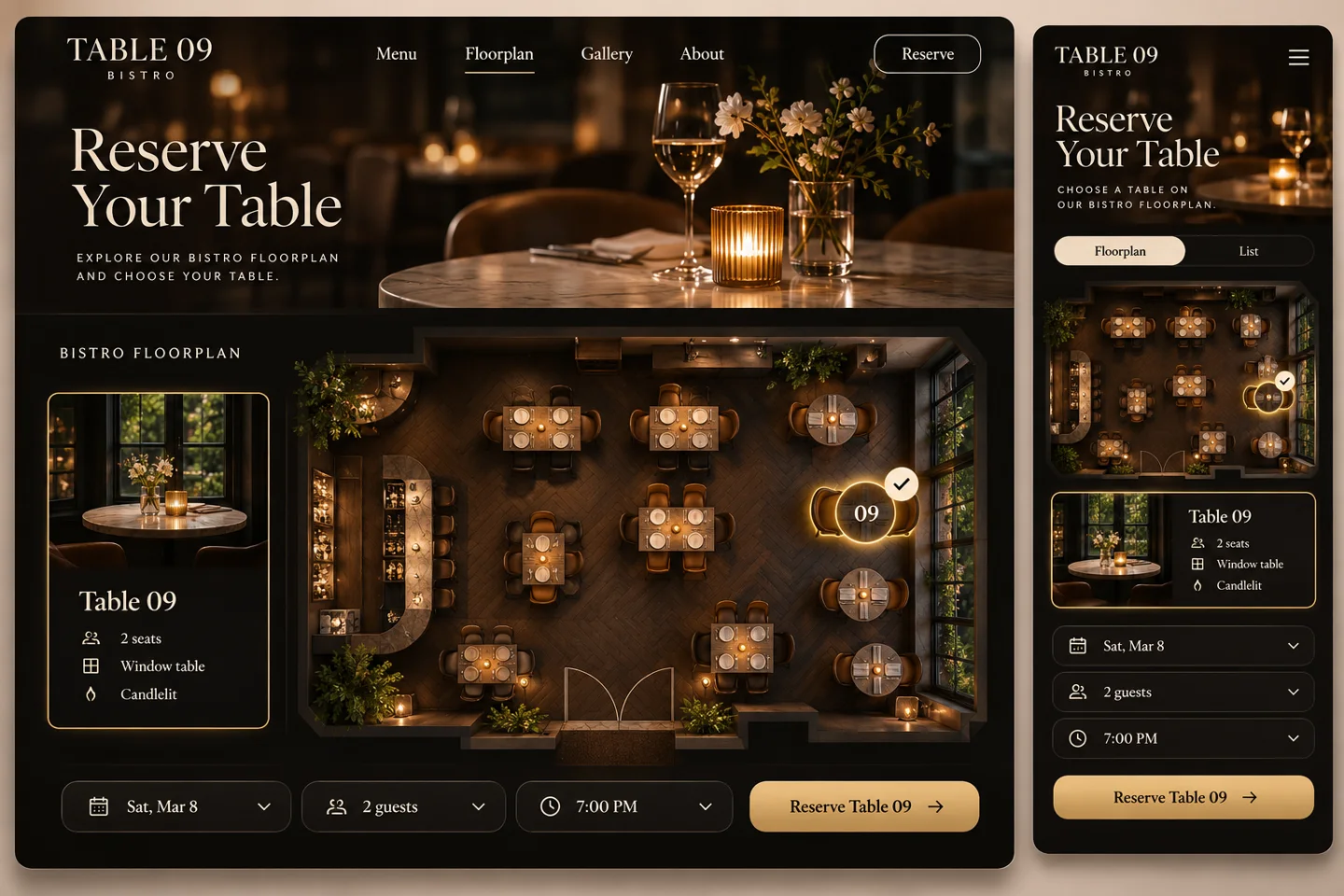
Begin with a floor plan, three honest photographs and a reservation request that staff confirm. Live seat availability needs a connection to the booking system. On a phone the same tables can appear as a short list with capacity and location.
6. Boutique hotel — Let the guest book the morning
Two rooms share the same bed, square footage and rate. One wakes up to sunrise over the sea. The other opens onto a sheltered courtyard where breakfast can last an hour. Turn the view from each window into the room selector and show the room type, stairs and dates beside it.
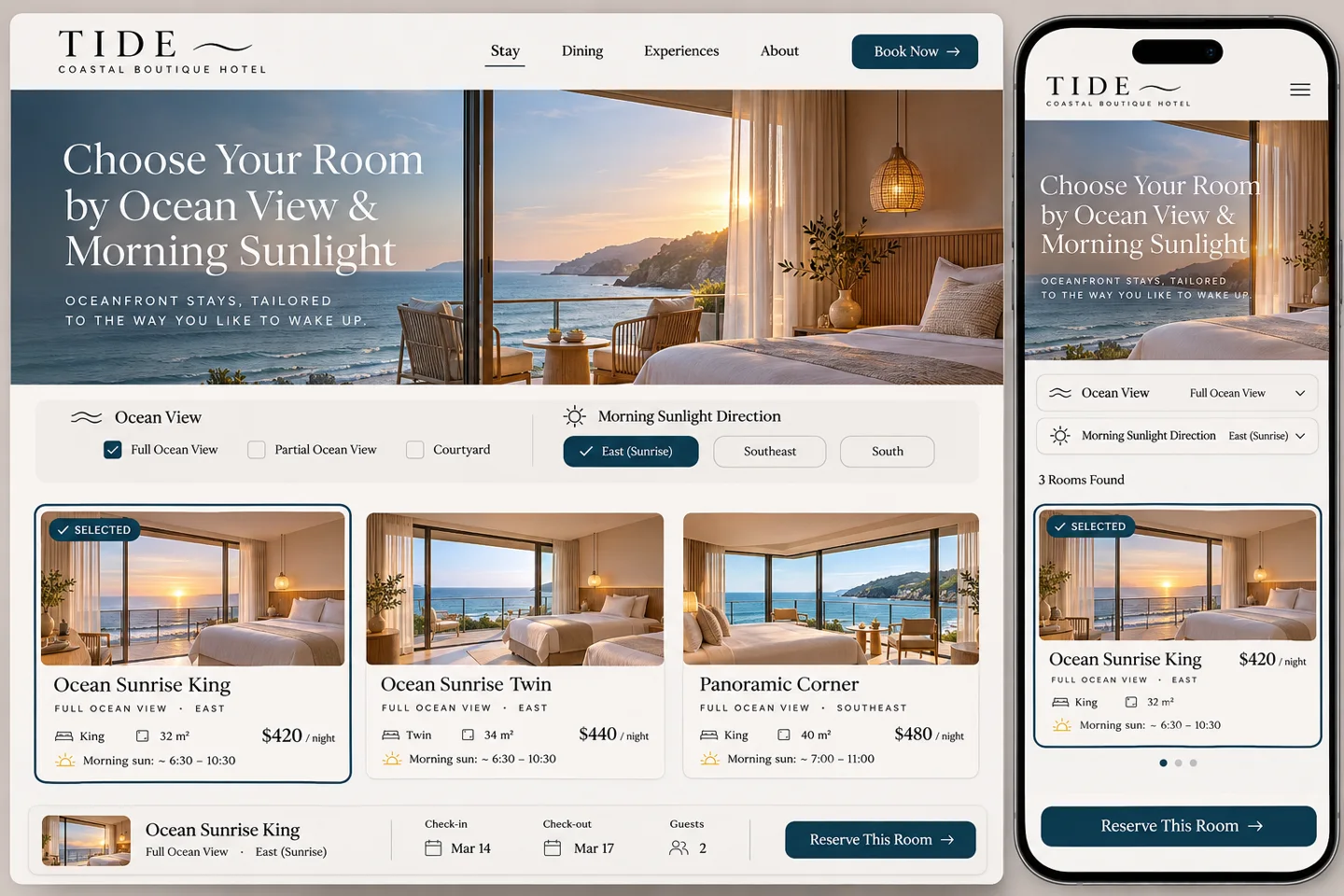
Shoot the real views at comparable times, and say whether a booking guarantees that room or only its category. Two well-documented rooms are enough to test the idea. A thumb-friendly view selector replaces the desktop panorama on a small screen.
7. Industrial manufacturing — Make the spare part the navigation
A maintenance engineer may recognise the worn impeller long before they remember its part number. Let them open a pump into an exploded drawing and select the component they can see on their bench. Return its reference, compatible models and a drawing they can attach to a quote request.
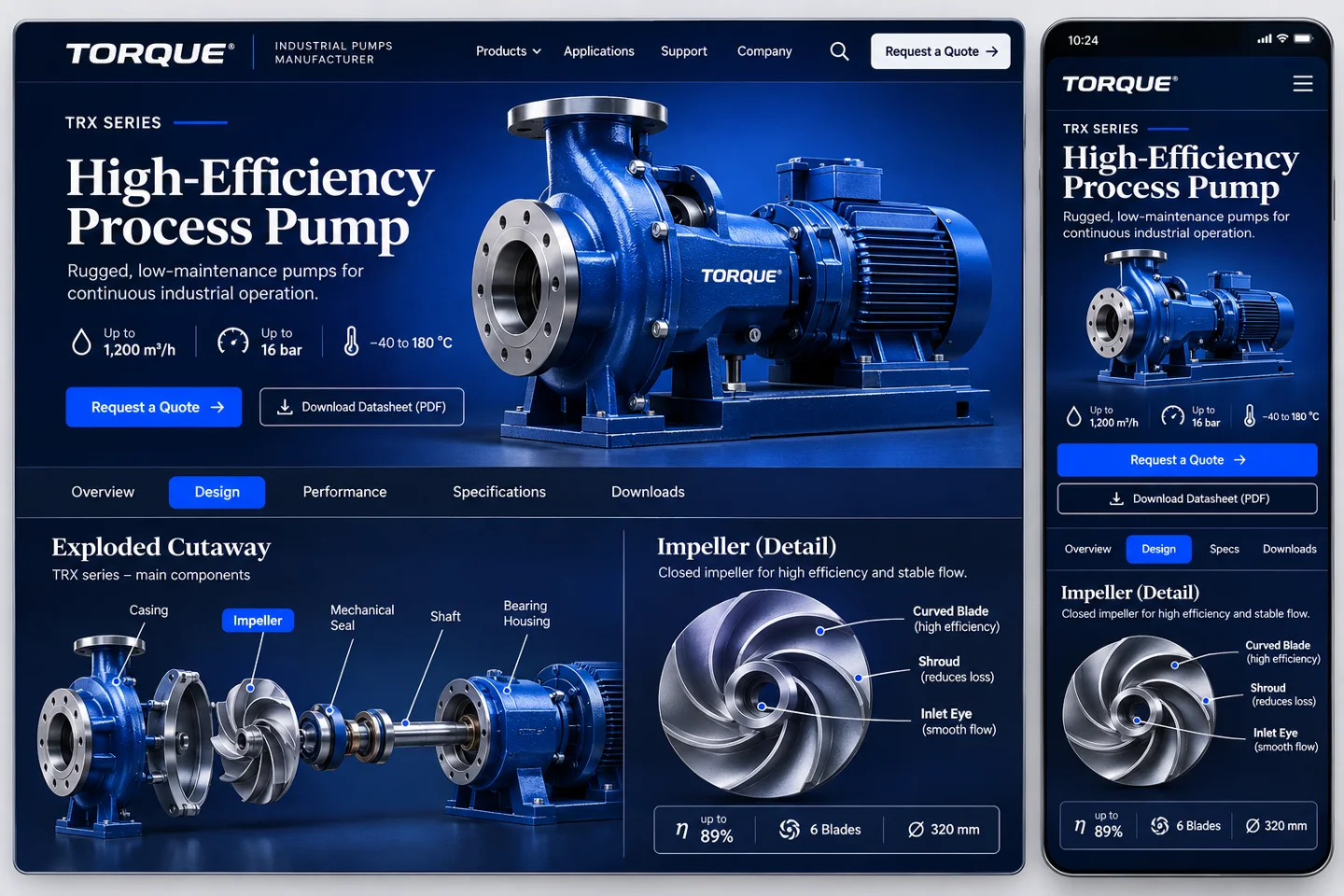
Start with one product family and an engineer-approved illustration. Link each callout to a text index, which doubles as mobile navigation. Maintaining the compatibility table matters more here than how gracefully the bolts fly apart.
8. Classes and workshops — Choose the object you want to take home
A first-time potter rarely knows what “hand-building level one” buys them. They know they would like to make the blue cup. Arrange finished pieces along a shelf. Selecting a piece reveals the workshop, time at the wheel, firing arrangements and when the student can collect it.
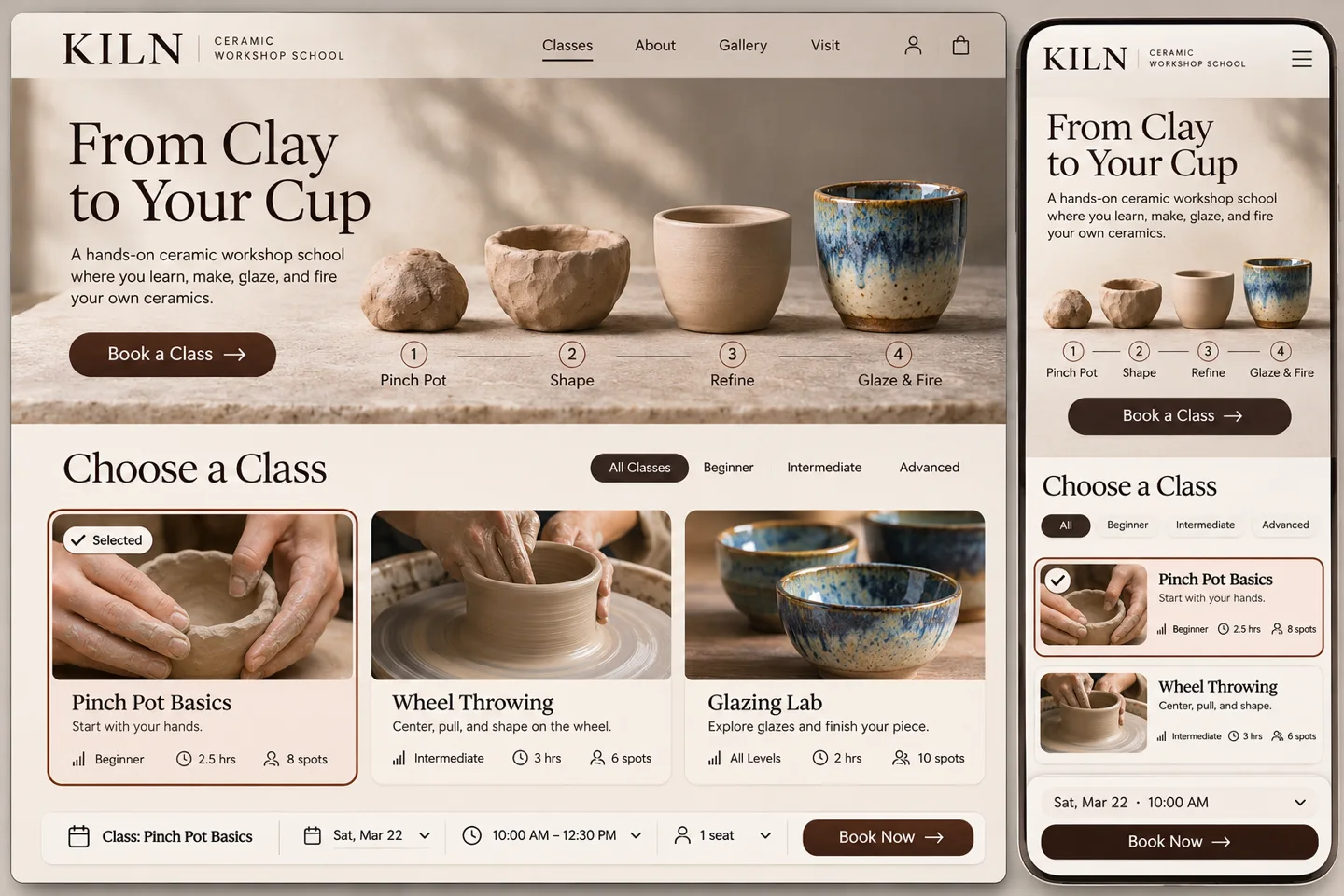
A small studio can start with one shelf photograph, a picture per class and its existing schedule. Give every object a written name for mobile browsing. Make the collection date visible before checkout, especially for visitors who leave town tomorrow.
9. Fitness studio — Start with the gap in the calendar
It is Tuesday. You have forty minutes between work and the train. A wall of class names is a puzzle. Let the visitor pick their available window and show a short run of classes that actually finish in time, including the studio location and effort level.
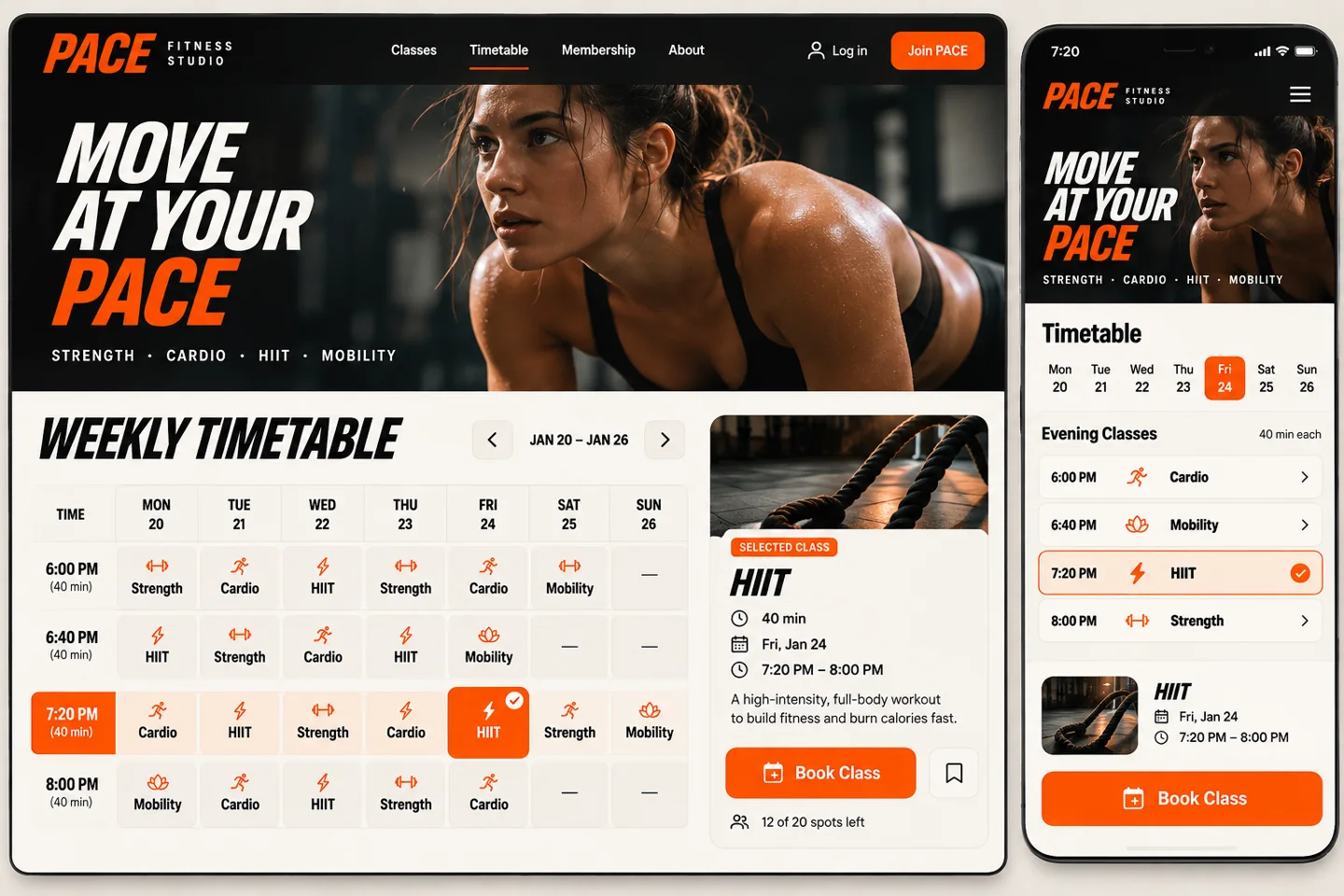
A first version can read the timetable the team already maintains and link out to booking. On mobile, show the end time as prominently as the start. When no class fits, offer the next matching day without silently changing the visitor’s constraints.
10. Car dealership — Give the boot a suitcase test
A cargo volume in litres is precise. It still leaves a parent wondering whether the pushchair fits through the opening. Compare two cars with the same reference objects and the rear seats in the same position. Put the opening width, sill height and usable depth beside the picture.
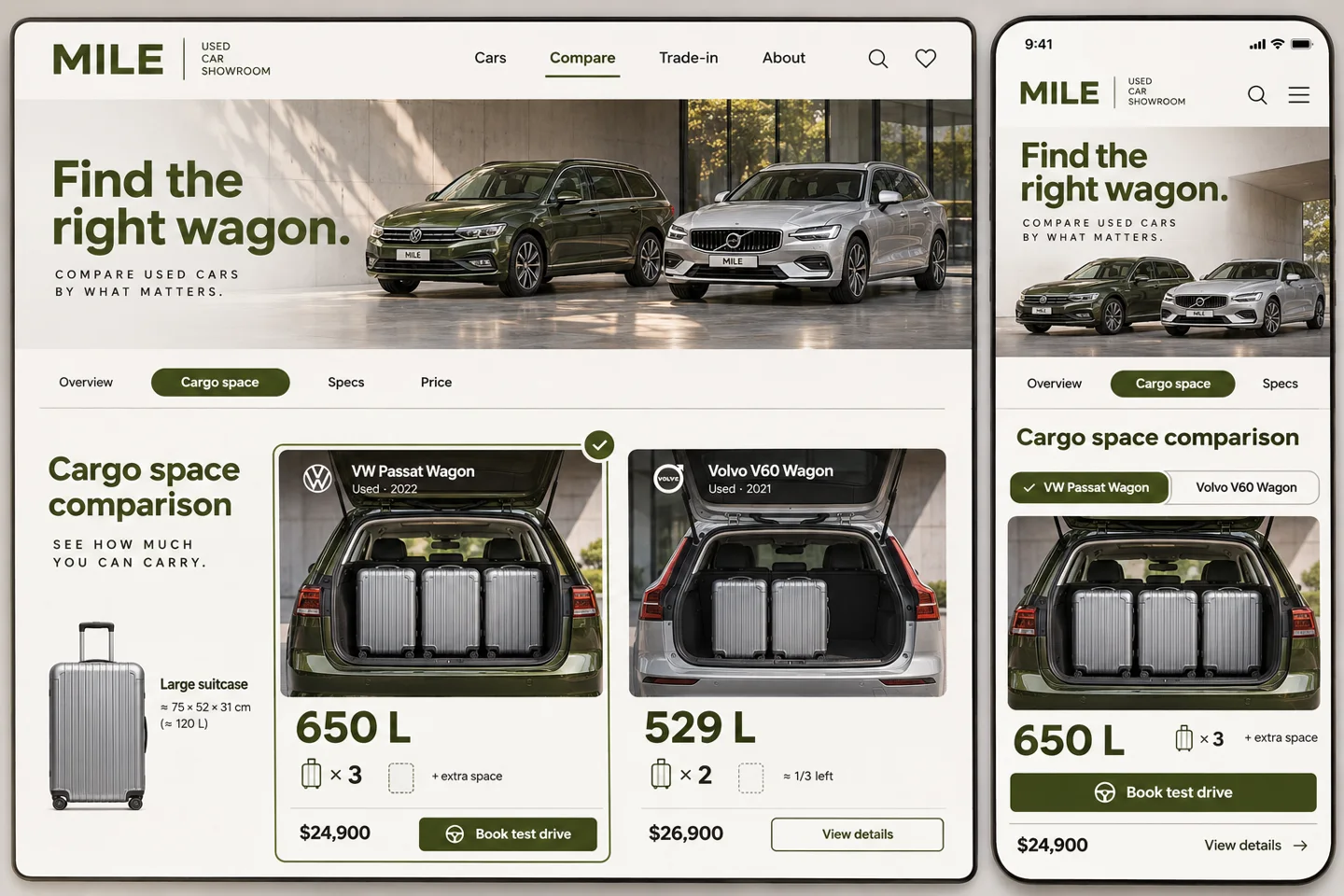
Photograph two vehicles with the same suitcase and publish the measured dimensions. On mobile, switch cars while keeping the reference object in place. Link directly to the stock vehicle so the customer can arrange to try their own luggage.
How to scope one of these ideas
For the apartment site, bring a floor plan and a current unit list to the first design meeting. Ask for one complete journey from choosing a window to sending a viewing request on a phone. Price that journey separately from a 3D model, a live inventory connection and the work of preparing every remaining floor. That separation makes two studio estimates much easier to compare.
The same brief works for a boutique or a workshop. Write down the customer’s question in their words, the real material you already own and the action they should be able to finish. To adapt a concept with WeMAIde, bring the product photo, timetable or drawing your team reaches for most often when a customer asks for help.
A free text template with a fictional example. Define the visitor, source material and one complete journey before requesting an estimate.