A review tied to actual tasks
Start with important pages, enquiries, editing problems and available search or analytics data. Separate a broken form, unclear offer or slow template from issues that need a new platform.
 Start a project ↗
WEBSITES / REDESIGN & IMPROVEMENT
An outdated layout, a difficult mobile form and a slow product page need different fixes. We review your existing website, identify the work that matters and redesign the agreed experience while planning for its content, URLs, integrations and day-to-day operation.
OUTCOMEA clearer, more usable website with a defined scope and a checked transition from the old version.
 REV
DELIVERABLES
Each engagement is scoped around the smallest complete system that can deliver the intended result.
Start with important pages, enquiries, editing problems and available search or analytics data. Separate a broken form, unclear offer or slow template from issues that need a new platform.
A refresh can preserve the structure while improving particular layouts and journeys. A redesign can change navigation and reusable page patterns. A rebuild or migration is proposed only when the existing foundation cannot support the agreed needs.
Inventory valuable content and old URLs before replacing pages. Where URLs must change, map relevant destinations and check redirects, internal links, canonicals and sitemap entries. Search fluctuations remain possible; unchanged rankings cannot be guaranteed.
Check forms and downstream records, mobile layouts, keyboard access, editing and agreed performance measures. Record the release state, monitor important pages after launch and define how to recover if a critical journey fails.
USE CASES
Good software starts with an operating need. These are common patterns, not fixed packages.
New services, customer groups or proof no longer fit the old navigation. Rework the information architecture around the current offer, retaining material that still answers a useful question.
Improve a specific journey: selecting a service, understanding a price, using the menu or sending a form. Test actual task completion rather than judging only screenshots.
Inspect important templates, media, scripts, fonts and third-party components. Agree the pages and measurements to improve; one Lighthouse score is a diagnostic, not a promise about every real visitor.
Clarify editing roles and repeated content patterns. Check whether the current system can support them before deciding to keep, adapt or replace it.
PROCESS
One continuous path from product definition to build, validation and launch.
Collect the current page list, useful search data, form destinations, content ownership and examples of the problem. Keep a baseline before changing the experience.
Agree what stays, what changes and how success will be checked. Approve URL/content mapping and content responsibilities before implementation.
Test the new design with real content and a complete mobile task. Then apply the approved patterns and verify the required integrations.
Check indexability, redirects where needed, forms, analytics choices and recovery. Monitor the agreed pages and journeys after release rather than declaring the project complete from a staging screenshot.
RELATED WORK
These examples show our own site and related web-product work. We do not present them as independent client testimonials or claim measured conversion gains from a redesign.
An evolving site with responsive pages, a reusable case structure and multilingual content.
View case ↗02Working web applicationProduct design and implementation around data, report states and customer actions.
View case ↗03Design study, not client outcomesExplore how different customer questions change the structure of a website and its mobile interface.
Explore the concepts ↗FAQ
Begin with the problem. If the structure and platform still support the business, a focused fix to content, navigation, a form or a template may be sufficient. A redesign becomes useful when several important journeys no longer fit. A rebuild adds a change of technical foundation and should have its own reason.
We can reduce avoidable risks by reviewing existing content and URLs, retaining useful pages, mapping changed addresses and checking redirects, canonicals, internal links and indexability. Search engines still need to process changes. No responsible process guarantees unchanged positions or zero traffic fluctuations.
A focused redesign at WeMAIde starts at $1,200 before tax. The final scope depends on retained work, content, platform, integrations and validation. We can work on actual time at around $20 per hour or agree on a fixed price for a defined scope.
Not necessarily. We first review the editing needs, access, limitations and operating responsibilities. Work on a named CMS or third-party platform is confirmed after inspecting the actual setup; it is not assumed to be interchangeable with a custom build.
Usually the replacement can be reviewed separately while the current site remains available. The release plan must account for changing data, incoming requests, the chosen platform and the recovery route. Any required downtime is agreed before launch.
No. We agree useful performance checks for representative pages and review the constraints of media, integrations and third-party scripts. Lab results vary, and field metrics describe actual visitors over time. The aim is a better usable experience, with the measurements reported honestly.
The current URL, the main visitor task, a few examples of what is failing, who edits the site and any relevant non-sensitive reports. The downloadable website brief and redesign checklist help collect this information before discussing implementation.
RELATED INSIGHTS
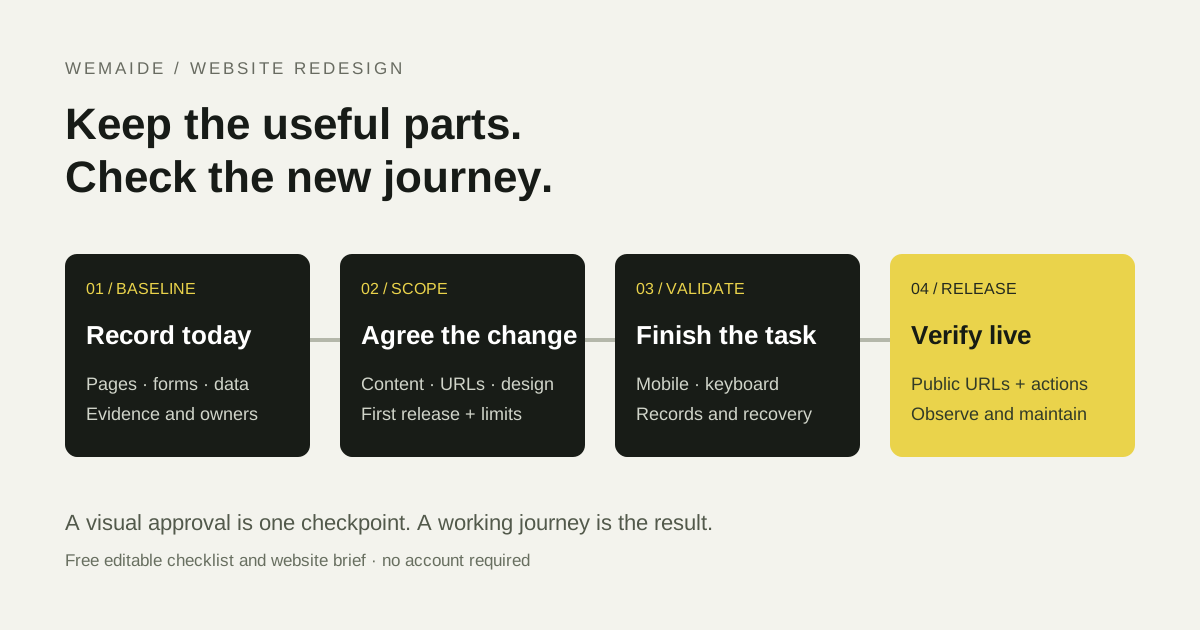
A practical website redesign checklist for content, URLs, mobile layouts, forms, performance, launch and recovery. Download an editable checklist and project brief.
Read insight ↗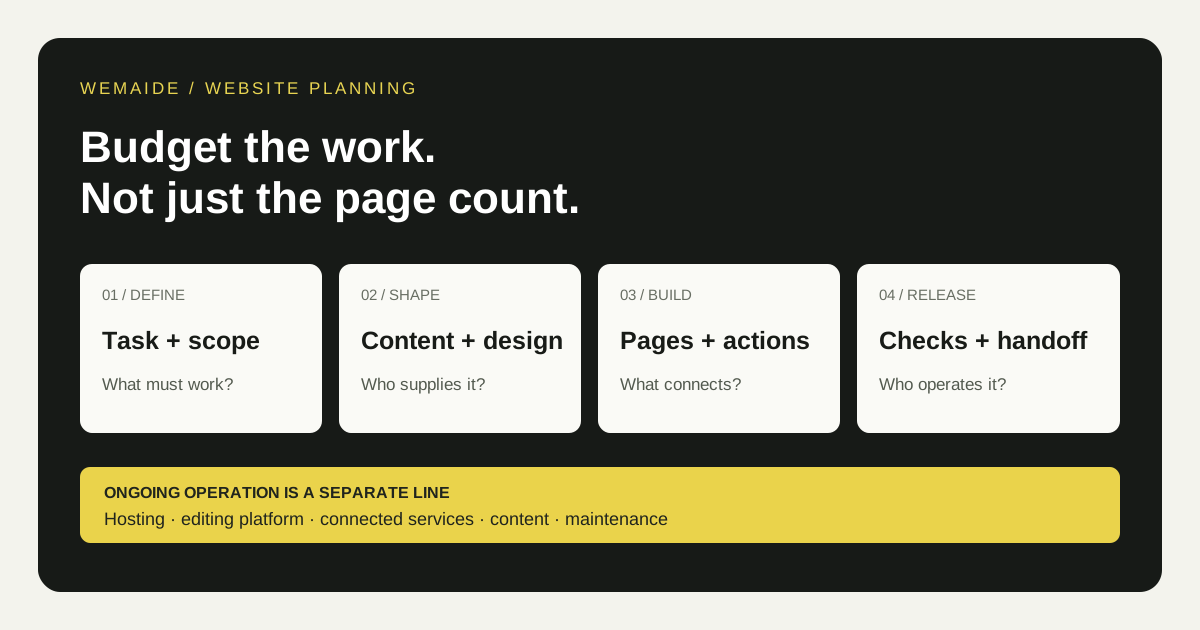
WeMAIde landing pages start at $800, business websites at $1,500 and focused redesigns at $1,200. Compare hourly development with a fixed price for an agreed scope.
Read insight ↗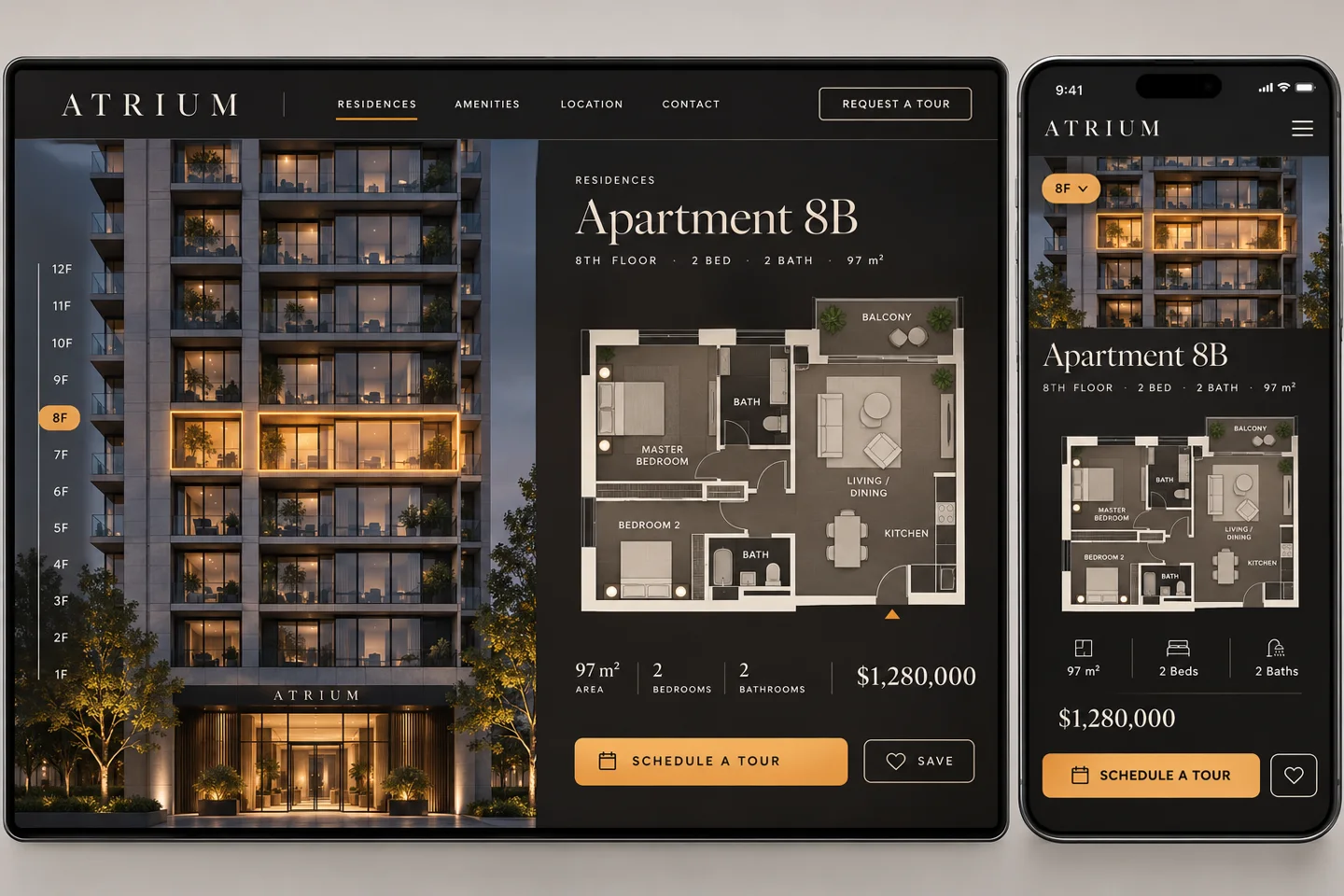
Pick a flat by its windows, a class by the cup you’ll make or a hotel room by its morning light. Ten original WeMAIde website concepts, with desktop and mobile layouts and a practical first release for each.
Read insight ↗START A PROJECT
Tell us what needs to work. We will come back with the clearest next step.
Discuss it in Telegram ↗