WEMAIDE / INSIGHTS / GUIDES
Website redesign checklist: keep the useful parts and check the new journey
A practical website redesign checklist for content, URLs, mobile layouts, forms, performance, launch and recovery. Download an editable checklist and project brief.
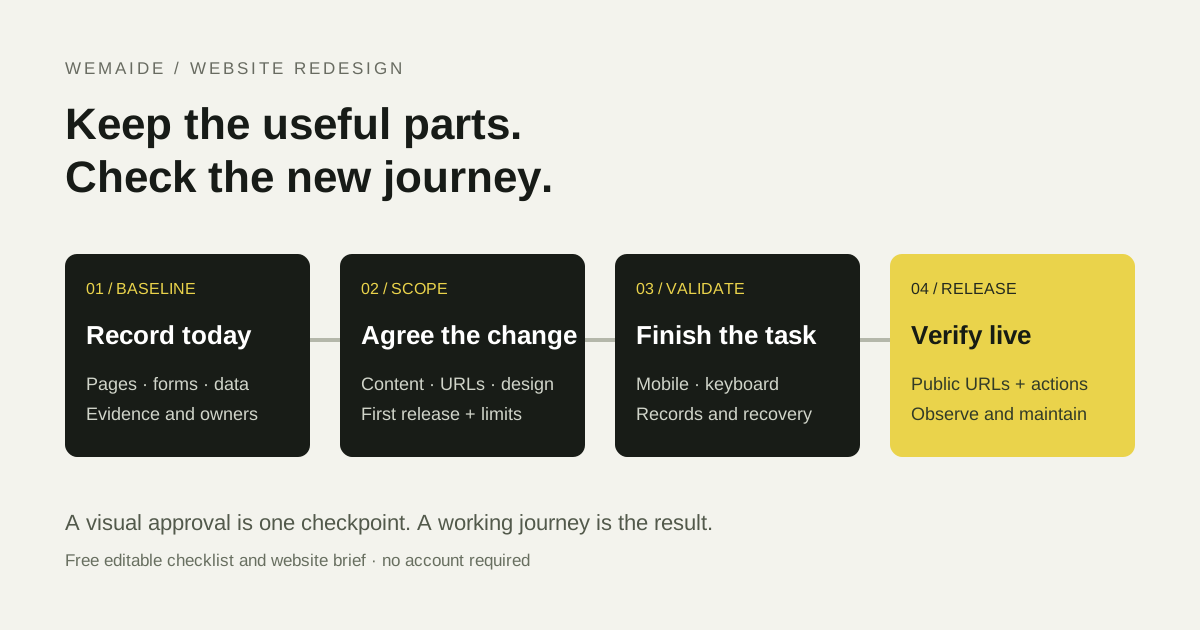
A redesign is finished when the important tasks work on the new site, the useful material has a home and the people operating it know what changed. A visual sign-off is one checkpoint. It does not confirm that a booking request arrived, an old link still works or an editor can change next week’s opening hours.
Use this checklist for a business website refresh, redesign or rebuild. Mark each item passed, failed, pending or not applicable, and attach evidence or a reason. The scope determines which checks apply: a site with no login does not need an invented account flow, while a live inventory connection needs more than a screenshot test.
A plain-text checklist with owner, status and evidence fields. Free to use without registration.
Before design: record what the website does today
- Identify the audience, the primary task and the pages that support it. Describe the actual problem: unclear offer, broken mobile form, difficult editing or slow templates.
- List important current URLs, downloadable files and valuable content. Include pages that receive useful search traffic or external links when those reports are available.
- Record forms, their destinations, notifications and the final business record. Identify who owns each connected service.
- Save a baseline for important templates: mobile screenshots, current errors and available performance or analytics reports, with dates and measurement conditions.
- Confirm access and ownership of the domain, hosting, content and editing system. Agree who can approve content and release the replacement.
Do not infer a need for a rebuild from an old-looking homepage alone. A functional structure may only need new content and better mobile layouts. Conversely, a polished page with an unusable editing workflow or an unreliable booking connection may need deeper work. The first decision is the size of the problem, not the visual style.
Scope: agree what stays, changes and moves
| Current item | Decision | Acceptance evidence |
|---|---|---|
| /classes | Keep the URL; improve the class selector | A visitor can choose a class and see its full date and price on mobile. |
| /old-workshops | Merge useful content into /classes; map the old URL | The old address redirects to the relevant destination without a loop. |
| Enquiry form | Retain the request model and staff confirmation | A test request reaches the correct inbox or record and the visitor sees an accurate acknowledgement. |
| Live seat inventory | Exclude from this release | The interface says request a place; it does not promise an instant confirmed booking. |
Write down content responsibilities and exclusions alongside the approved page map. A missing set of product photos or an unapproved translation can block a launch even when the templates are complete. Define who updates changing data between content transfer and release.
Collect the audience, one complete journey, content, integrations and release responsibilities before comparing proposals.
Content and URLs: give useful material a destination
- Keep existing addresses where the same useful page continues to exist. A cosmetic redesign does not require a new URL scheme.
- For changed addresses, map each important old URL to its relevant new destination. Avoid sending unrelated old pages to the homepage.
- Check the chosen permanent redirects and their final responses. Resolve loops, unnecessary chains and destinations that return an error.
- Update internal links, canonical URLs, relevant language alternates and the sitemap to the intended public addresses.
- Check that the public replacement can be indexed and that staging controls do not accidentally carry over. Keep private or account pages restricted as intended.
Google’s site-move guidance covers URL mapping, redirects and monitoring when addresses change. Search engines need to process the change and temporary fluctuations are possible. The checklist reduces preventable mistakes; it cannot guarantee that rankings stay exactly the same. A visual refresh with unchanged URLs is not automatically a domain migration.
Mobile and accessibility: finish the task without the ideal screen
- Use the menu, primary links, selectors and forms on a narrow phone screen. Check long titles, real prices, translated text and error messages.
- Navigate the important journey with a keyboard. Keep focus visible and controls labelled; do not make a hover interaction the only route to information.
- Check images and useful alternatives, readable text and layout at zoom. Important facts should not exist only inside a decorative image.
- For forms, verify labels, required fields, validation and instructions for correcting an error. Preserve useful input after a failed request where appropriate.
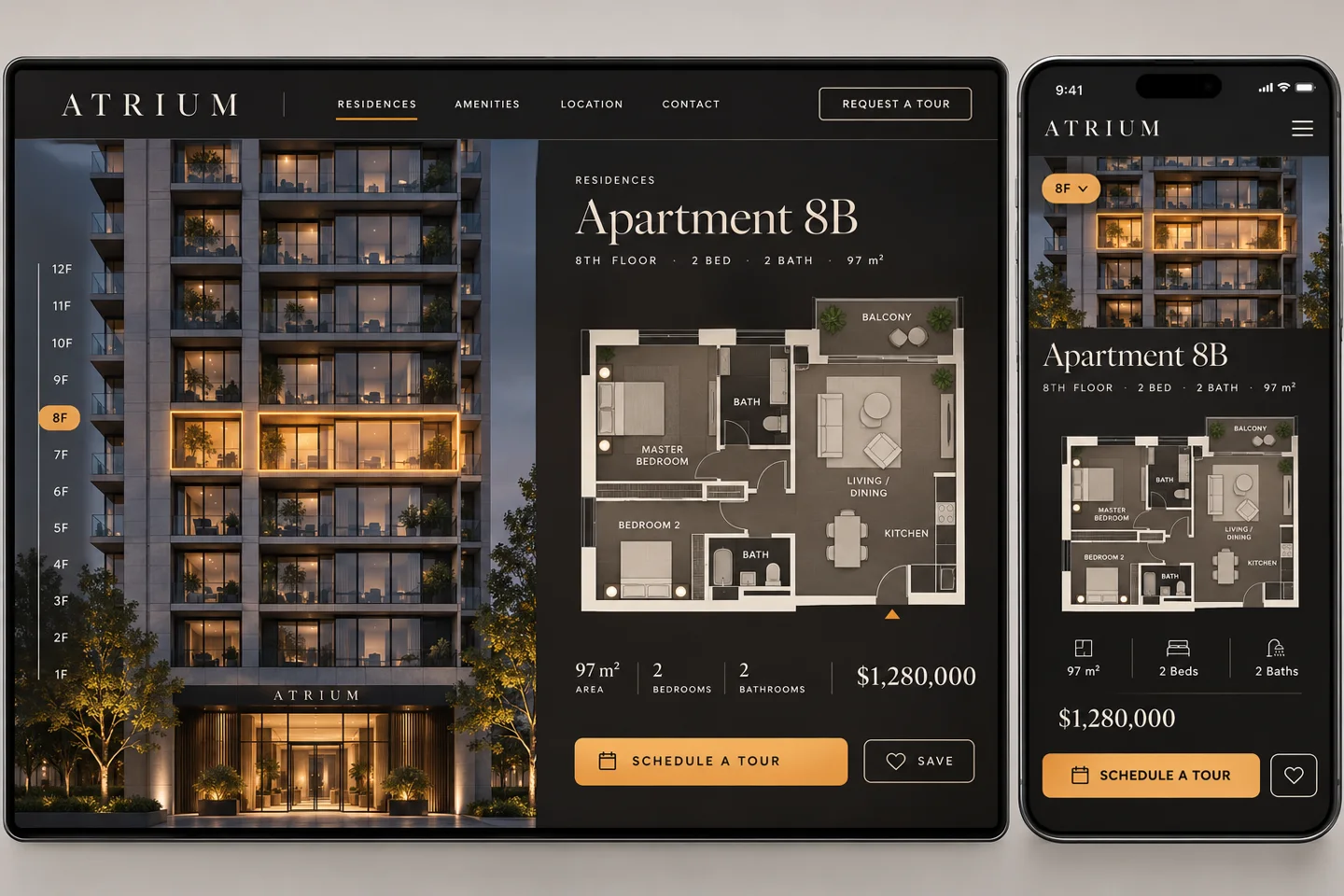
A fictional apartment selector in our design study illustrates a useful mobile decision: floors can become large labelled controls rather than tiny windows that require precise tapping. The principle is to preserve the selection task, not to reproduce every desktop gesture.
Forms and integrations: check the record after the button
Run a controlled test with clearly marked test data. Confirm the visitor acknowledgement, the server result and the actual downstream destination. A green message on the page does not prove that the CRM or mailbox received the request. Decide how failed or uncertain requests are surfaced and recovered.
- Test a valid submission, missing or invalid data and a temporary failure of the receiving service.
- Check repeated clicks and interrupted requests. Do not tell the visitor to retry blindly if that can create duplicate bookings or payments.
- Verify notifications and the working destination, not a staging inbox. Confirm who is responsible for responding.
- If a payment, stock or account flow is in scope, use its approved test process and verify the final state. A contact-only site can mark these checks not applicable.
Performance: measure representative pages
Check a representative homepage, service page, image-heavy page and form journey on mobile. Record the test date and conditions. Review media, fonts, scripts and third-party widgets when they cause delays. One fast homepage does not establish that the whole site is fast, and a high loading score does not measure the correctness of a form submission.
Distinguish a repeatable lab test from field data describing real visits. Core Web Vitals cover loading, responsiveness and visual stability through LCP, INP and CLS. Use field data when available; for a new or low-traffic page it may be unavailable. Do not present that absence as a pass or a failure.
Launch: verify the public site and the recovery route
- Record the approved content and release version, the release owner and the recovery steps. Account for new requests or records created during the change.
- Open important public URLs and old URLs with planned redirects. Confirm final status, page content, canonical address and intended indexability.
- Repeat the key enquiry or booking-request test on the live site using marked test data. Confirm the destination, not only the on-screen message.
- Check the intended analytics configuration and consent choices. Confirm that relevant events are not counted twice.
- Check the public sitemap and Search Console property where available. Request discovery of genuinely new or changed pages through the appropriate tools; requests are not indexing guarantees.
After launch: distinguish a fault from a measurement delay
In the first days, prioritise unavailable pages, broken redirects, missing content, failed forms and unexpected indexing restrictions. Search reports and field-performance data update on different schedules. Compare complete periods and relevant pages before attributing a movement to the redesign; do not keep changing headings because one day has fewer impressions.
Leave the owner a short record of what changed, which checks passed, what remains pending and how to report a failure. Include the ongoing content and maintenance responsibilities. A useful redesign ends with a working operating arrangement as well as a new interface.