WEMAIDE / INSIGHTS / GUIDES
8 Telegram Mini App Concepts for Shops, Services and Communities
Explore eight Telegram Mini App concepts with sample screens, user journeys, backend needs and practical MVP scope for shops, services and communities.

Somewhere in a Telegram conversation, a perfectly good shop is slowly turning into an archaeological site. The catalogue is above the holiday announcement. The order form is below a voice note. The current price was definitely posted. Probably.
A Mini App can give the user a visual place to finish a job inside Telegram. The useful question is what belongs on that screen: choose products, compare a few options, select a class, review a request or find an existing entitlement.
This WeMAIde lookbook explores eight concepts for shops, service businesses and communities. Every screen uses fictional sample data. These are proposed products to scope and develop, rather than eight available apps or client case studies.
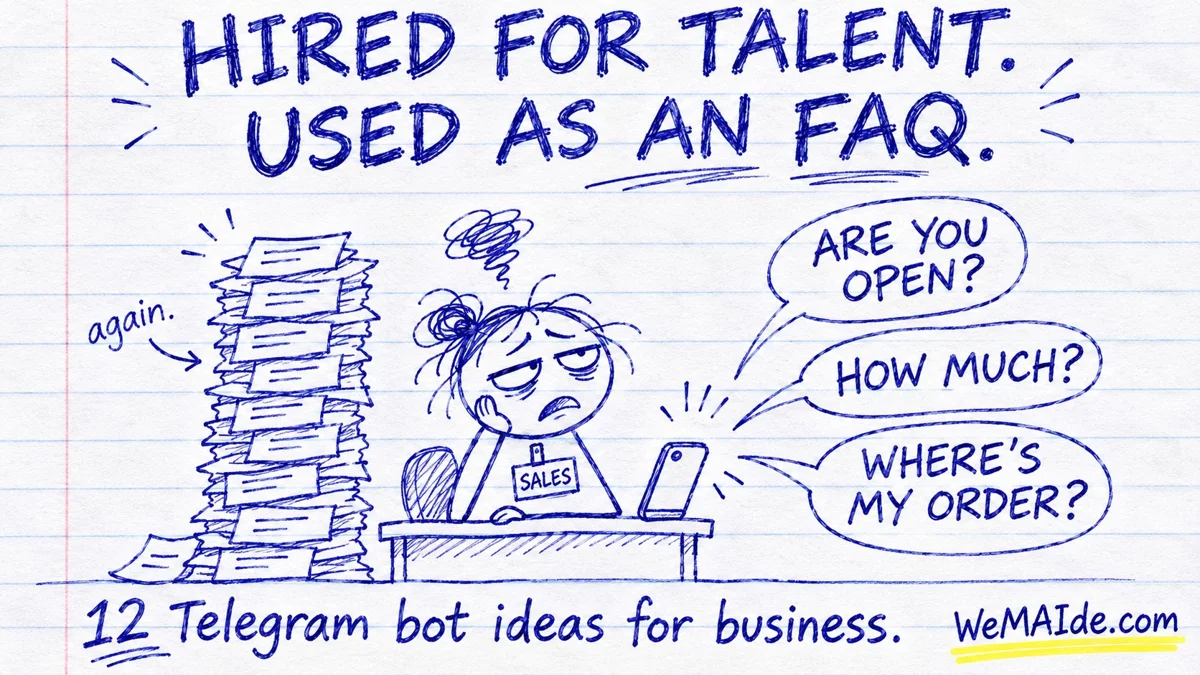
The phone-shaped paper shop in the cover is the editorial metaphor. The interface boards below are exact-text product sketches, with a first release and a specific backend responsibility for each.
1. A print-order builder that remembers the specification
The customer has finally explained the quantity, paper and finish. Then somebody asks them to type it all again in a different chat. Keep the specification with the request.
Specify a physical print job and request a reviewed quote.
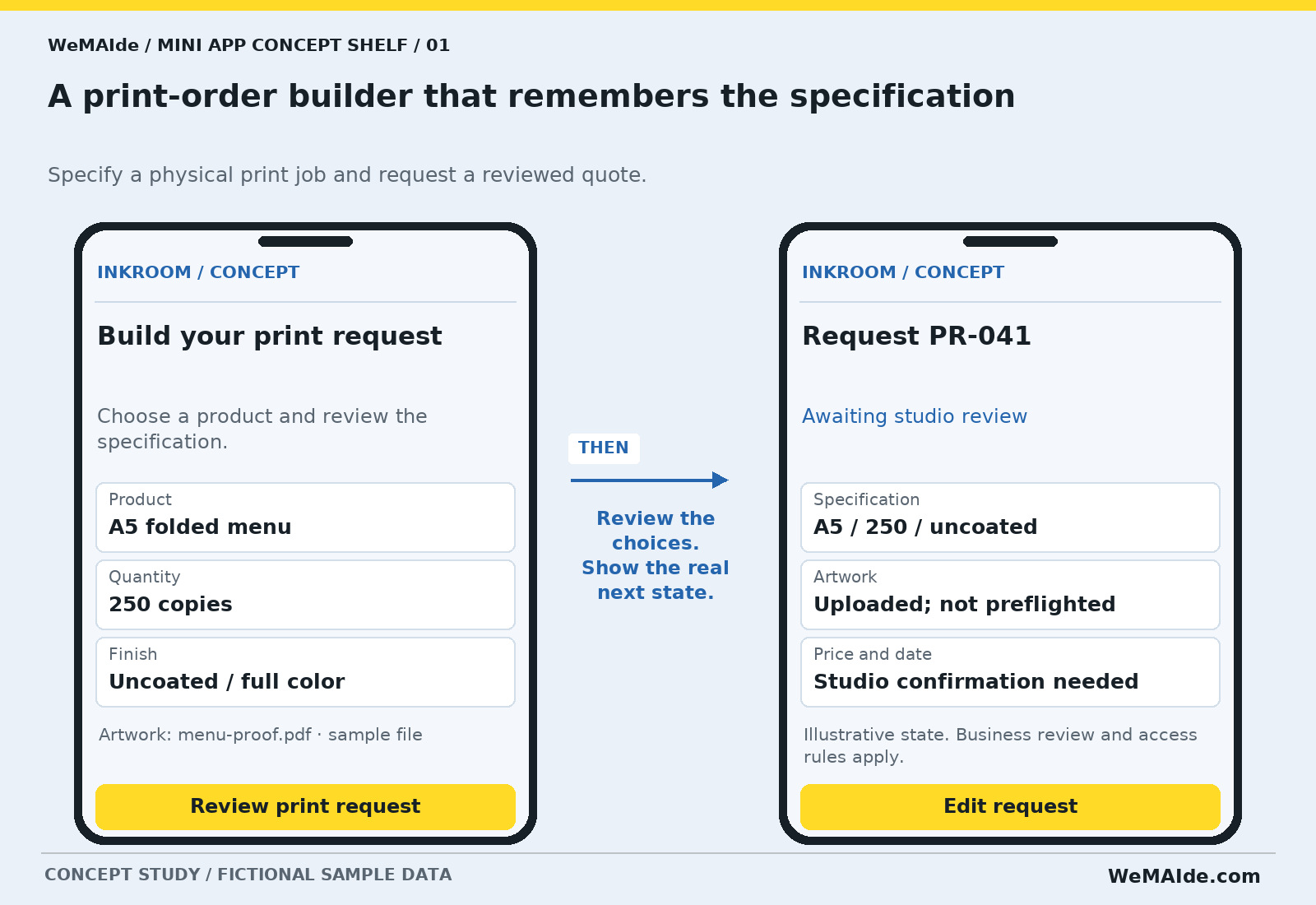
| Field | Example |
|---|---|
| Product | A5 folded menu |
| Quantity | 250 copies |
| Finish | Uncoated / full color |
Artwork: menu-proof.pdf · sample file · Button: Review print request
Request PR-041 · Awaiting studio review · Button: Edit request
First release. One print family, approved option combinations, a file upload and a staff review queue. The app collects a useful specification; pricing and production dates remain reviewed outcomes.
Back office. A maintained option model, accepted-file rules, private storage and a receiving studio operator.
Exception. Changing the paper or artwork after a quote should create a visible revision. File uploaded and artwork approved describe different states.
Acceptance check. Change quantity before submission and confirm that the same revised specification reaches the studio queue. Reject an unsupported file without losing the other fields.
2. A pickup basket for the neighborhood shop
A customer would like three useful things. The shop currently provides thirty product photos and an excellent opportunity to practice scrolling.
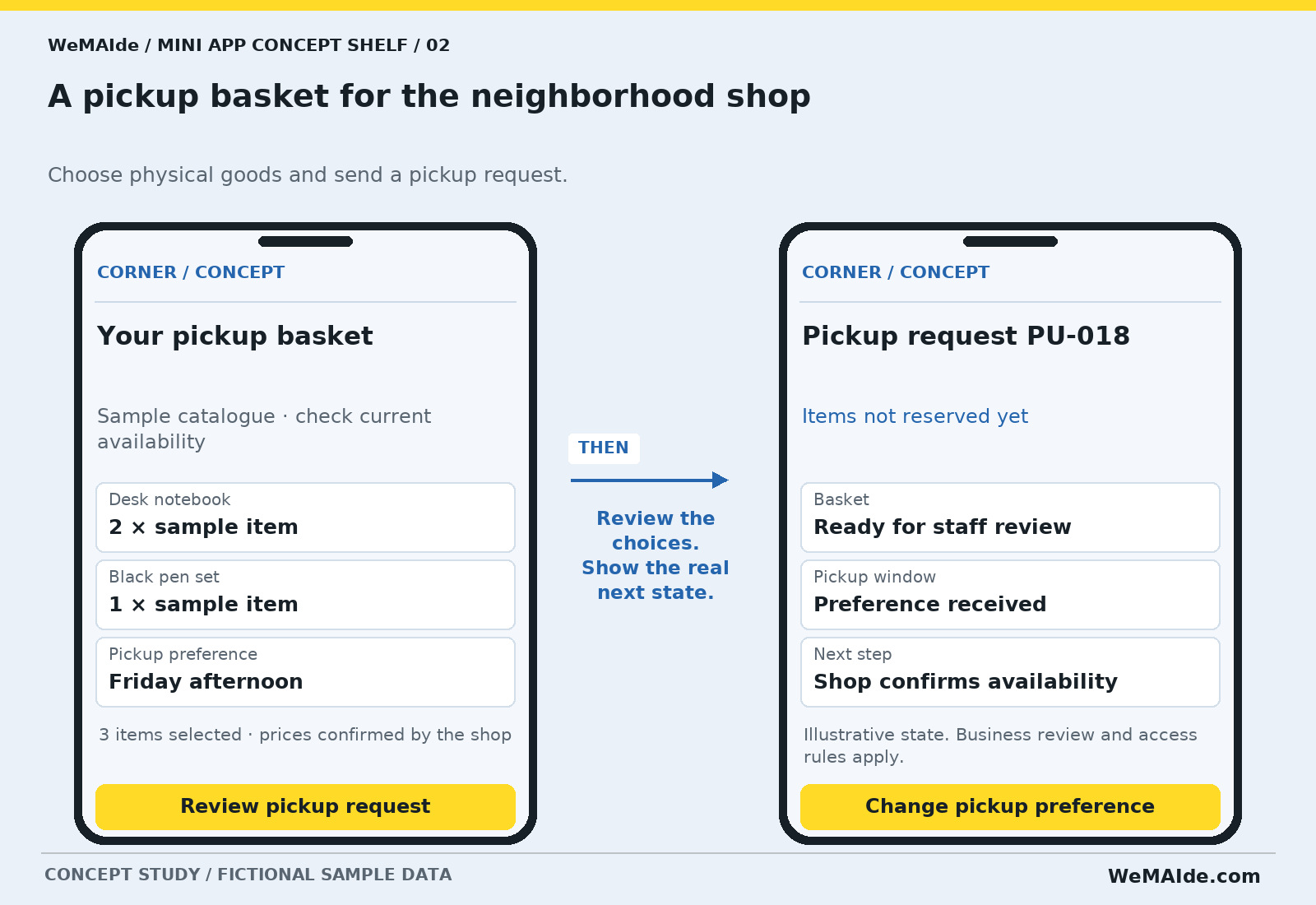
Choose physical goods and send a pickup request.
| Field | Example |
|---|---|
| Desk notebook | 2 × sample item |
| Black pen set | 1 × sample item |
| Pickup preference | Friday afternoon |
3 items selected · prices confirmed by the shop · Button: Review pickup request
Pickup request PU-018 · Items not reserved yet · Button: Change pickup preference
First release. A short catalogue, basket review and one pickup-request destination. Leave payment and real-time stock reservation outside the first release unless the shop can support them reliably.
Back office. Product references, current catalogue ownership, pickup rules and an operator who can confirm stock.
Exception. A catalogue card saying available can become stale. The interface should explain whether stock is informational, held temporarily or actually reserved.
Acceptance check. Make one selected item unavailable during review. Keep the basket, identify the changed item and ask the customer to revise the request.
3. A class finder for people with actual calendars
The timetable says Thursday. The customer wants to know which Thursday, how long it lasts and whether they can still catch their train.
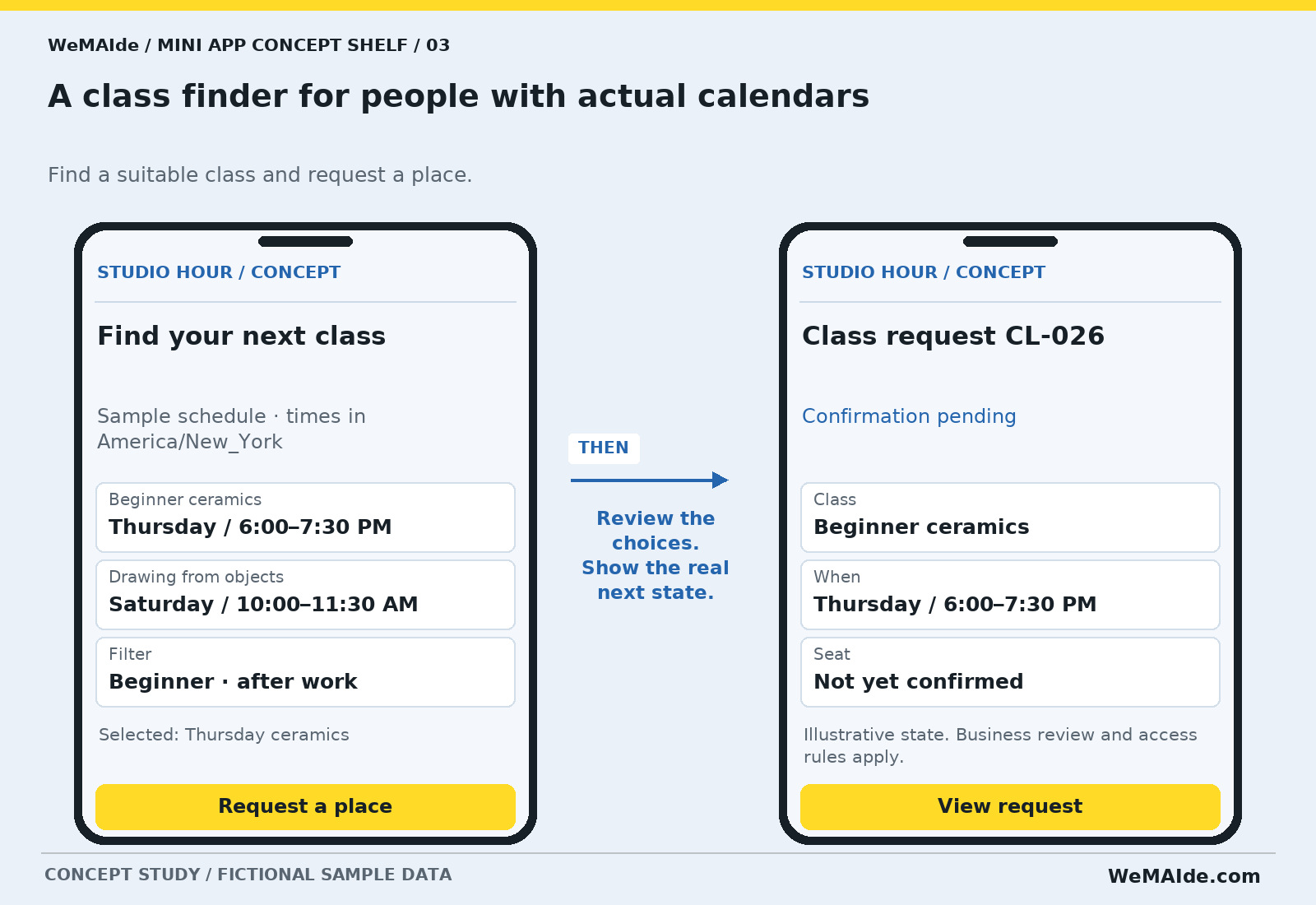
Find a suitable class and request a place.
| Field | Example |
|---|---|
| Beginner ceramics | Thursday / 6:00–7:30 PM |
| Drawing from objects | Saturday / 10:00–11:30 AM |
| Filter | Beginner · after work |
Selected: Thursday ceramics · Button: Request a place
Class request CL-026 · Confirmation pending · Button: View request
First release. One maintained schedule, class details and staff-confirmed requests. Live capacity allocation is a distinct addition requiring one authoritative reservation process.
Back office. Class dates, level and duration, a timezone policy, capacity ownership and the person who confirms a place.
Exception. A preferred date, a waitlist entry and a confirmed seat need distinct messages. A sold-out class should not keep an active request button that promises a place.
Acceptance check. Try a full class and a date with no matching class. Offer a truthful alternative and keep the user's filters unchanged.
4. A member library that can find the member's access
The resource is in the channel. The membership is in the payment record. The access decision is in an admin's afternoon nap.
Browse digital resources covered by an active entitlement.
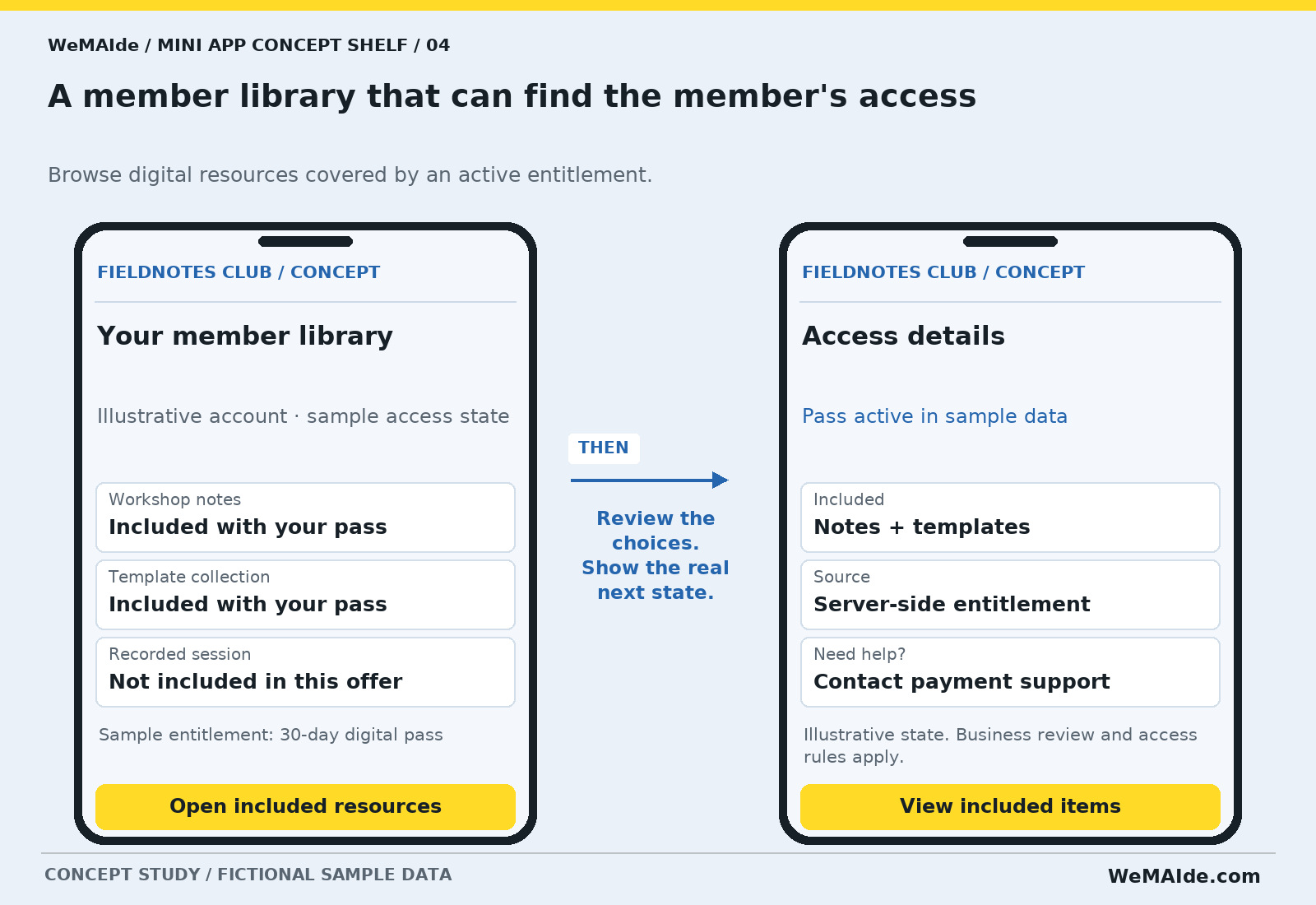
| Field | Example |
|---|---|
| Workshop notes | Included with your pass |
| Template collection | Included with your pass |
| Recorded session | Not included in this offer |
Sample entitlement: 30-day digital pass · Button: Open included resources
Access details · Pass active in sample data · Button: View included items
First release. One digital offer and a small resource library, with clear entitlement checks, expiry and a help route. Digital goods or services sold inside Telegram use Telegram Stars; access follows confirmed payment.
Back office. Offer definitions, payment-event handling, access expiry and an accountable support operator.
Exception. Hiding a resource tile does not protect its file URL. The backend must authorize access to the actual resource.
Acceptance check. Try an expired pass and a direct link to a resource outside that pass. The user sees an appropriate next step and receives no protected file.
5. An event agenda that survives the pinned-message pile
The event has an agenda, a revised agenda and a message saying ignore the agenda. Give the actual current version a home.
Build a personal event plan from the current schedule.
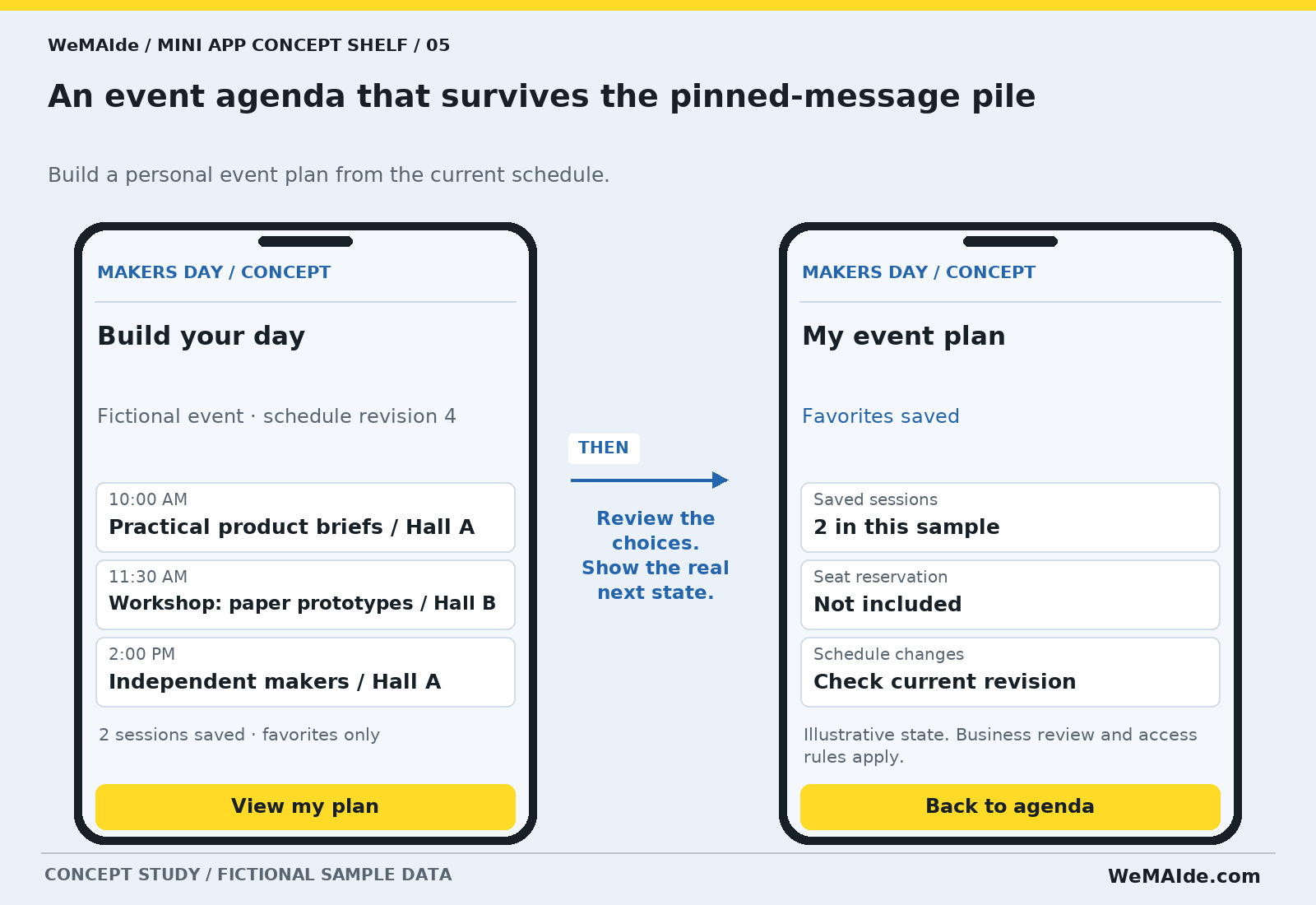
| Field | Example |
|---|---|
| 10:00 AM | Practical product briefs / Hall A |
| 11:30 AM | Workshop: paper prototypes / Hall B |
| 2:00 PM | Independent makers / Hall A |
2 sessions saved · favorites only · Button: View my plan
My event plan · Favorites saved · Button: Back to agenda
First release. A maintained agenda, personal favorites and clear venue information. Ticket purchases, seating reservations and entry scanning stay separate.
Back office. An event editor, stable session identifiers, timezone information and a process for publishing schedule changes.
Exception. A favorite is a preference, not a reserved seat. If a session moves, the saved plan should point to the revised session record.
Acceptance check. Move a saved session to another room and mark one session canceled. Keep the preference history and show the current status.
6. An equipment request with dates attached
The microphone is available. The cable is somewhere. The dates were mentioned in a different message. A rental request should arrive as a single specification.
Assemble a rental enquiry for physical equipment.
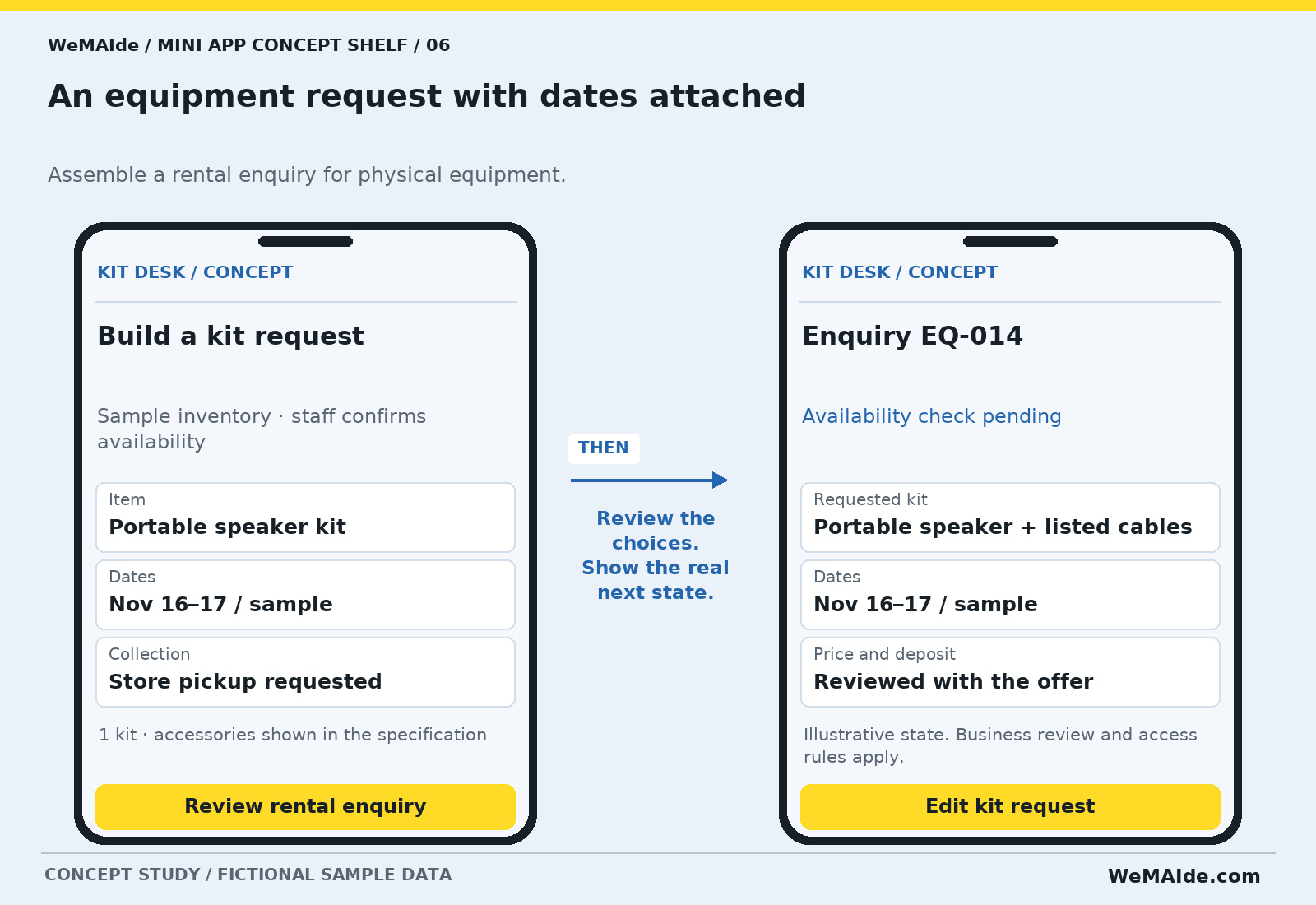
| Field | Example |
|---|---|
| Item | Portable speaker kit |
| Dates | Nov 16–17 / sample |
| Collection | Store pickup requested |
1 kit · accessories shown in the specification · Button: Review rental enquiry
Enquiry EQ-014 · Availability check pending · Button: Edit kit request
First release. One equipment family, an editable kit list and a staff availability check. Rental allocation, deposits and signed agreements are separate scope items.
Back office. Item identifiers, included accessories, collection rules and the inventory owner.
Exception. A request must not silently reserve an item for dates the inventory system has not accepted. Show changed availability before asking the customer to commit.
Acceptance check. Have two sample users request the same kit and dates. The app labels both as enquiries until the chosen allocation process confirms an outcome.
7. A community directory with fewer 'anyone know a...' posts
Somebody asks for a product photographer. The answer exists, but it is hiding under a discussion about the venue's parking situation.
Find an opted-in community member by skills and availability notes.
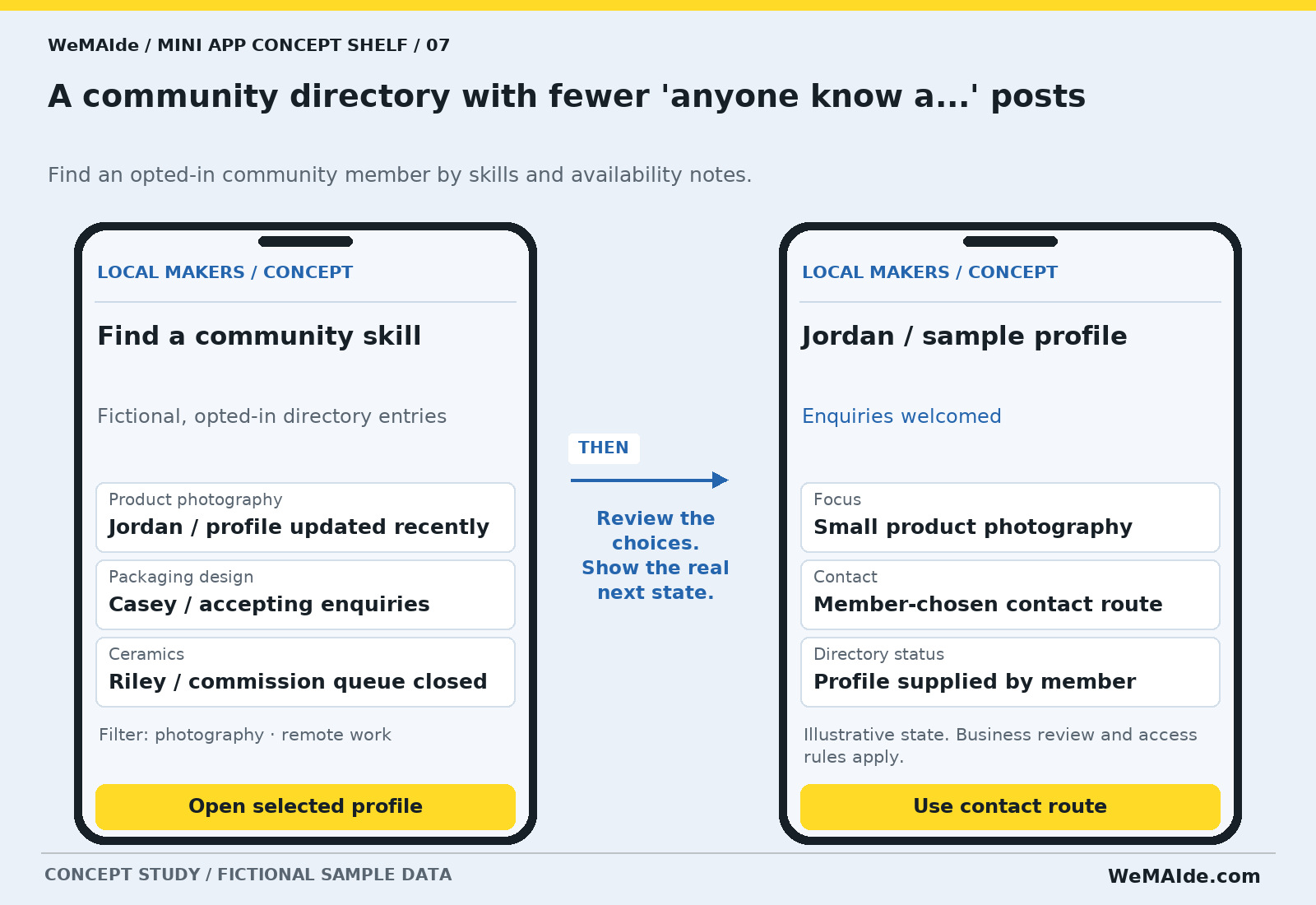
| Field | Example |
|---|---|
| Product photography | Jordan / profile updated recently |
| Packaging design | Casey / accepting enquiries |
| Ceramics | Riley / commission queue closed |
Filter: photography · remote work · Button: Open selected profile
Jordan / sample profile · Enquiries welcomed · Button: Use contact route
First release. Opt-in profiles, a useful filter set, editing and a moderation route. A directory listing is not a verified endorsement or a promise of availability.
Back office. Consent and profile ownership, moderation decisions and a member-controlled contact method.
Exception. Members should be able to correct or remove their listing. Do not turn group membership into permission to publish personal contact details.
Acceptance check. Remove consent for a sample profile. It disappears from public results and any direct public profile route follows the chosen removal behavior.
8. A restock sheet that doesn't require a spreadsheet attachment
Same as last month, except the quantity, the price and the delivery address. So, a fresh order wearing an old spreadsheet's clothes.
Review repeat wholesale items and submit a revised order request.
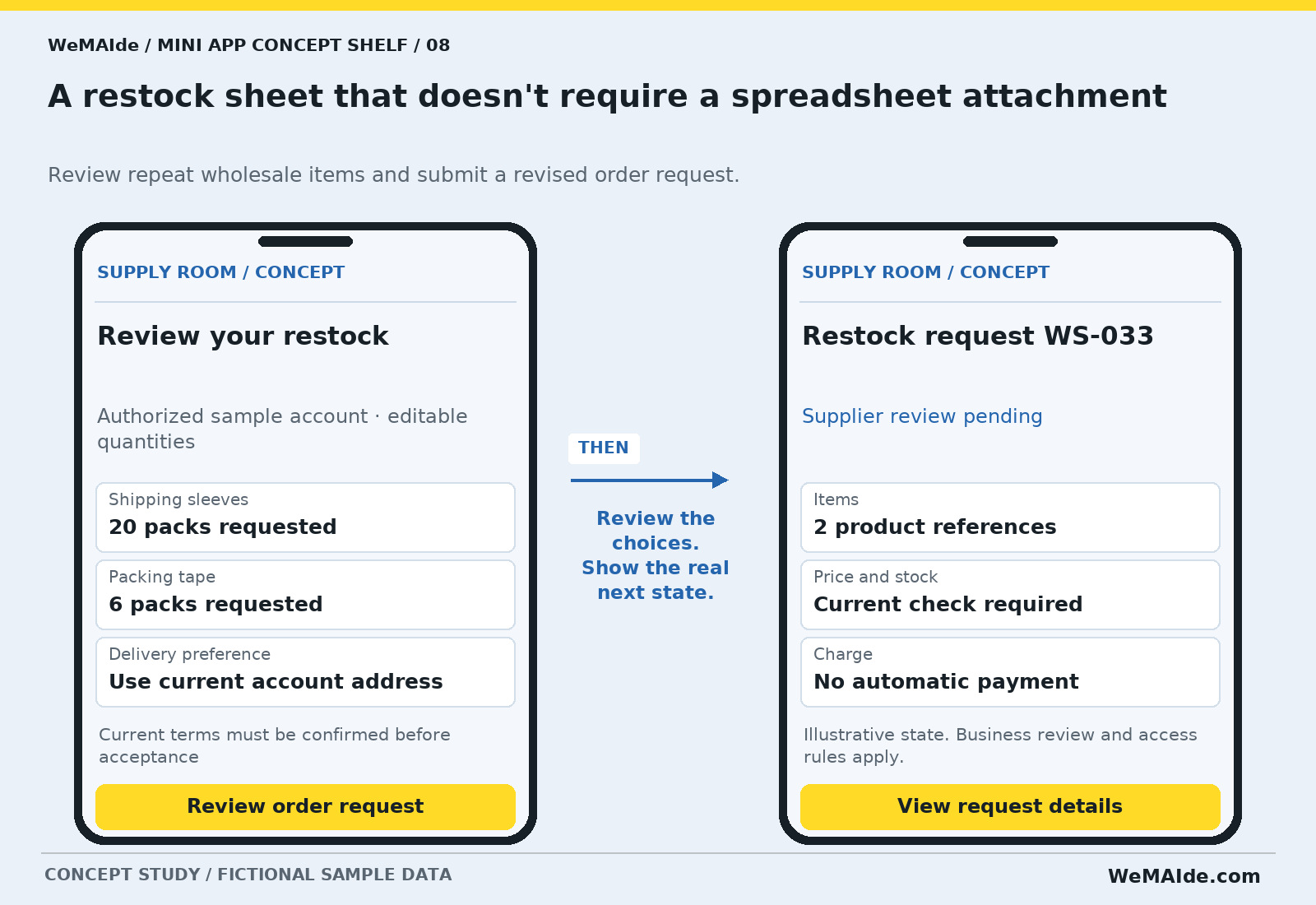
| Field | Example |
|---|---|
| Shipping sleeves | 20 packs requested |
| Packing tape | 6 packs requested |
| Delivery preference | Use current account address |
Current terms must be confirmed before acceptance · Button: Review order request
Restock request WS-033 · Supplier review pending · Button: View request details
First release. A small repeat-order catalogue, editable quantities and a reviewed submission. A current-price check and authorization are required before treating it as an accepted order.
Back office. Customer-to-account linking, product references, price ownership and a receiving sales process.
Exception. A user's old basket does not authorize a new charge. A URL containing an account number must not expose that account's orders.
Acceptance check. Change a sample product's terms between selection and review. Make the difference visible and preserve the user's ability to revise or stop.
Give the screen a reason to exist
A short command or reminder may work well in an ordinary bot conversation. A Mini App earns its interface when comparing, browsing, selecting several items or reviewing structured information becomes easier on a screen. Start with users who already use Telegram; acquiring an audience is a separate job.
The first screen should answer the immediate question. A print buyer needs format, quantity and artwork. An event attendee needs the current session and room. A community member needs a useful filter. Eight unrelated modules on the home screen make the little app surprisingly large.
Build the room behind the doorway
The Telegram interface still needs a backend, stored state, supported integrations and operating controls. Client-provided identity data must be validated on the server using the documented Mini App flow; raw initDataUnsafe is not an authorization decision. Resource access, current prices and allocation rules belong to the application.
Test opening and returning to the app, the host's navigation, light and dark themes, keyboard visibility, loading and retry states. A closed app or invoice window is not evidence that a request or payment completed. Show the application's recorded result.
A brief for a small app with a specific job
Choose one audience, one entry route and one complete action. List the fields, the source of current information, the operator who handles requests and the exact meaning of success. Include a changed or unavailable item in the acceptance demonstration.
WeMAIde designs Telegram Mini App interfaces and the bot entry points, backend and integrations they require. These concepts show possible first releases. Bring the task and the system it must fit into; we can scope the visual experience and the work behind it together.
Outline the user, job, screens, back-office work and acceptance checks for your first release.
Telegram documentation
Original WeMAIde product concepts with AI-assisted editorial material and campaign artwork. All screens, dates, products and people are fictional samples; no working app or client outcome is claimed.